

- If the message is about your referral program, you would naturally measure success by looking at increases in referral events
- If the message is about using some specific product feature, you would measure success by monitoring usage of that product
Overview: How Aampe Evaluates Messages
Aampe measures the success of a message by looking for changes each user’s event feed. Each event in the event feed has a numeric value (“reward”). An agent compares the sum of event rewards in a period before and after the message was sent to determine if the user increased their activity in response to the message.But not all events are equally important. Agents typically places small rewards on log-ins, button clicks, and similar events. They place larger rewards on key conversion events and other events that frequently precede them. How do we determine the reward for each event?
Building A Reward Function
Step 1: What specific outcome do you want to see as the result of a message?
Building a Reward Function starts by identifying the one desired outcome you want to see as a result of a message. Examples of key outcomes include:- Making a purchase
- Enrolling in a paid subscription
- Streaming a movie or a song
- Referring a friend
- Trying out a new product feature
- Signing up for a webinar
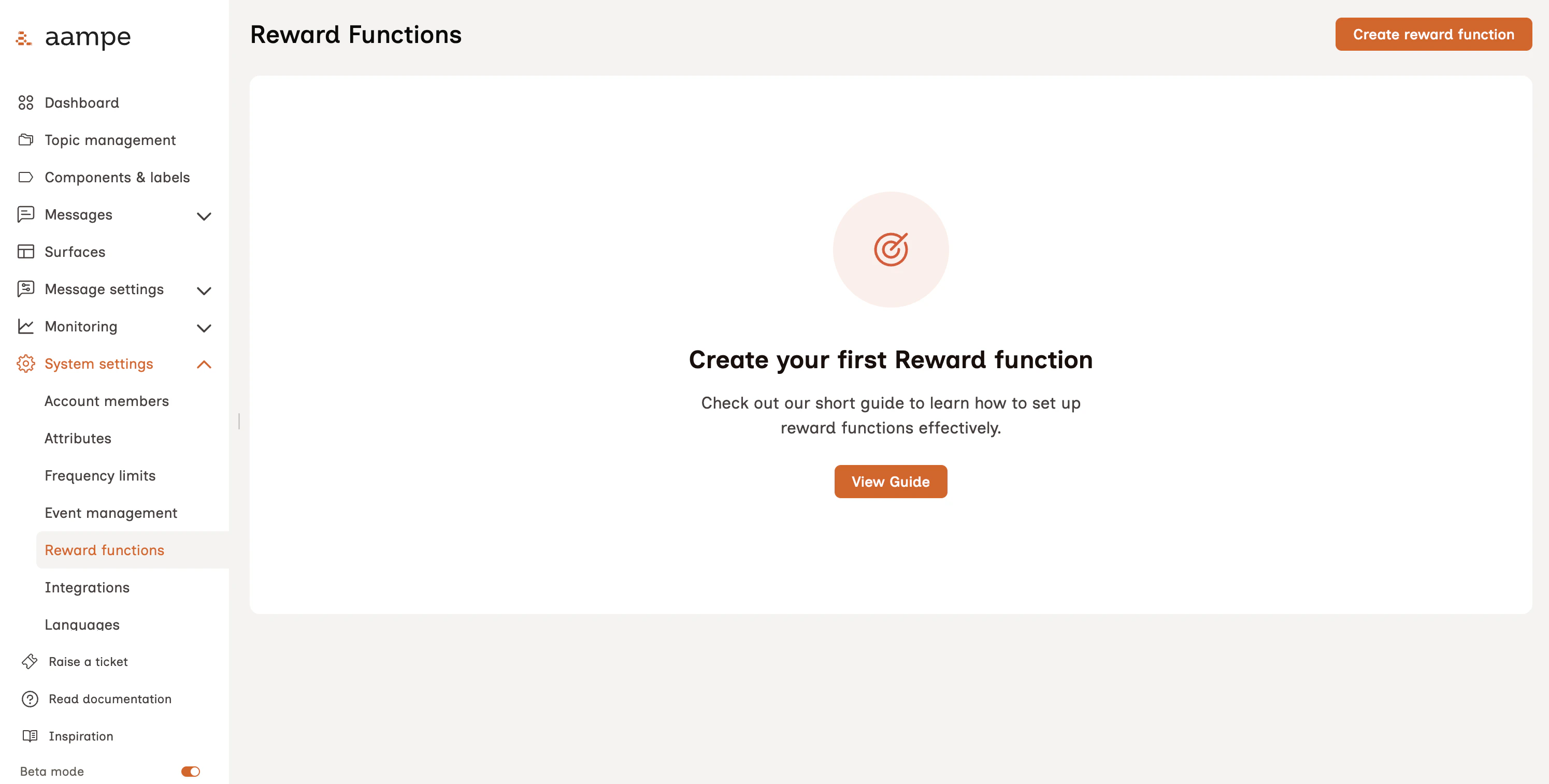
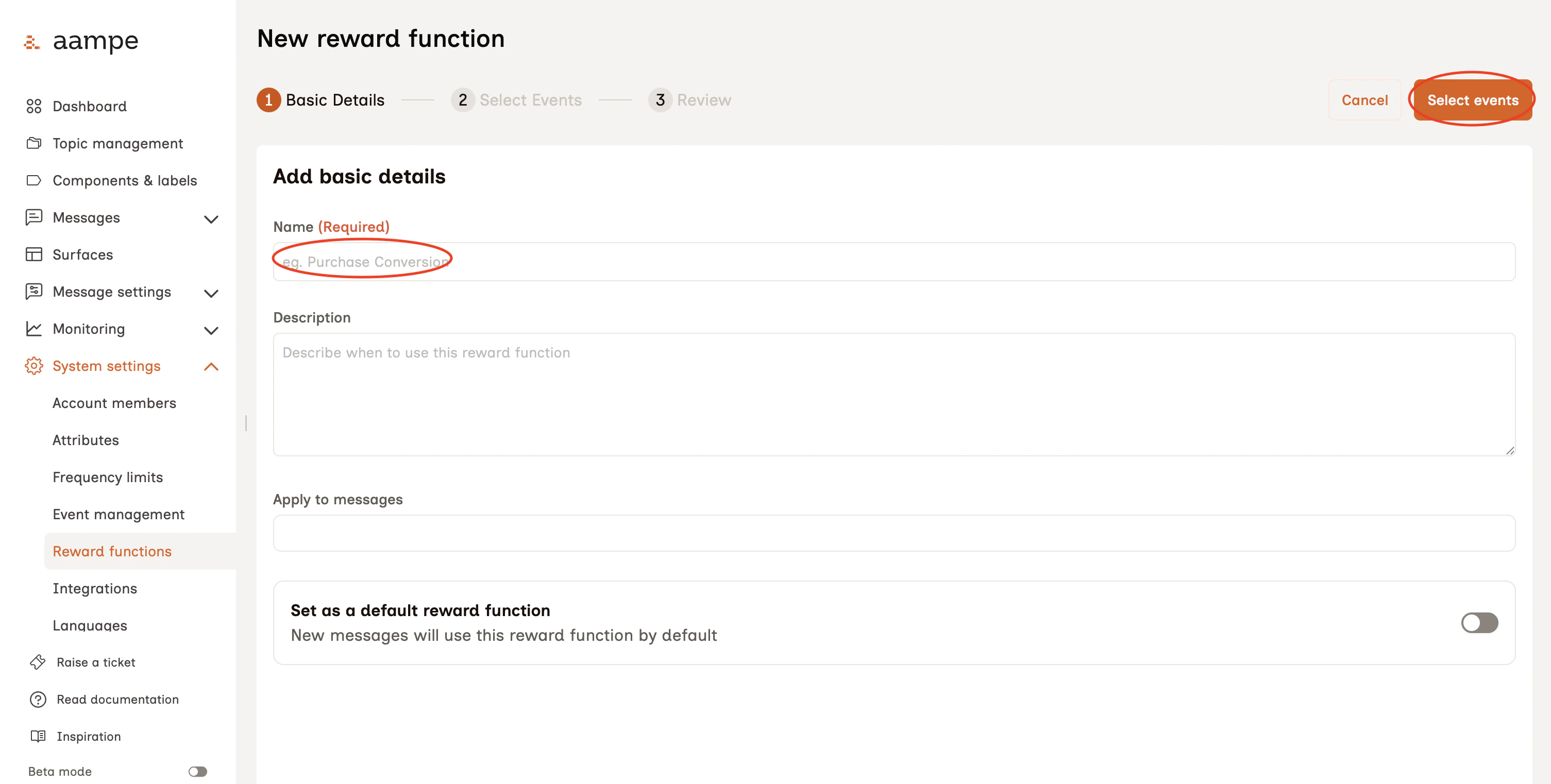
Step 2: Identify Target Events
With the key outcome in mind, we need to determine which events in the event feed are the best indicators of success for any assigned messages. Aampe calls these events target events. These events receive full points when observed within an attribution window. All other positive events receive some amount of partial credit. See our page on Event Types for a refresher of positive, negative, and irrelevant events.Example: Let’s say I want to set up a Reward Function for messages focused on selling a product. I am going to name my Reward Product “Selling Products” and look for events in my event feed mean someone bought my product.Reality check: Two things tend to make this exercise difficult
- Event streams are messy.
- Not all events are equally useful as target events
Suitable and Unsuitable Events
Events that Aampe considers to be suitable as target events are called “suitable events.” You will find them easily in the main list of events. Aampe’s Learning Quality score indicates the strength of that event as a potential target event.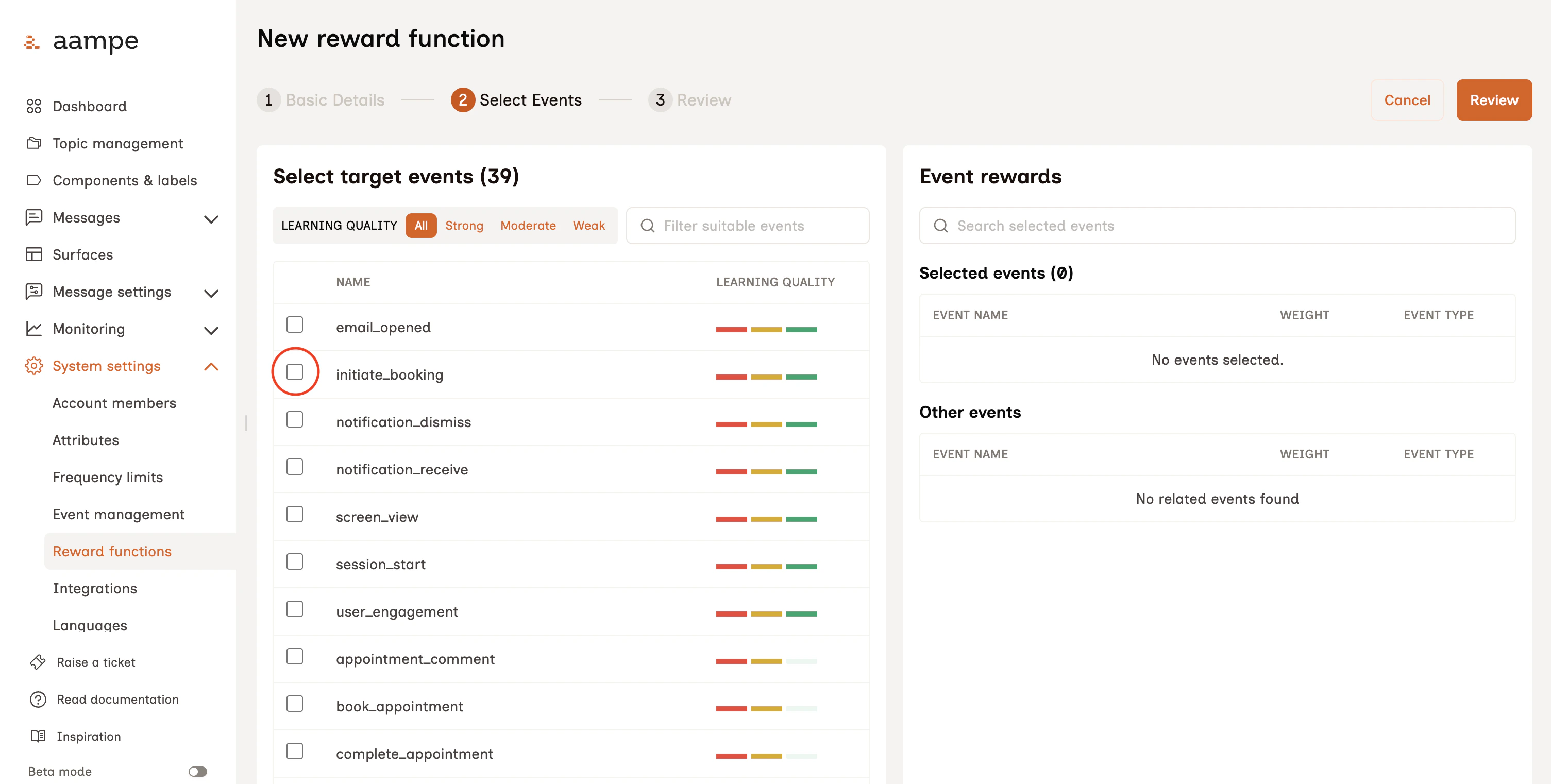
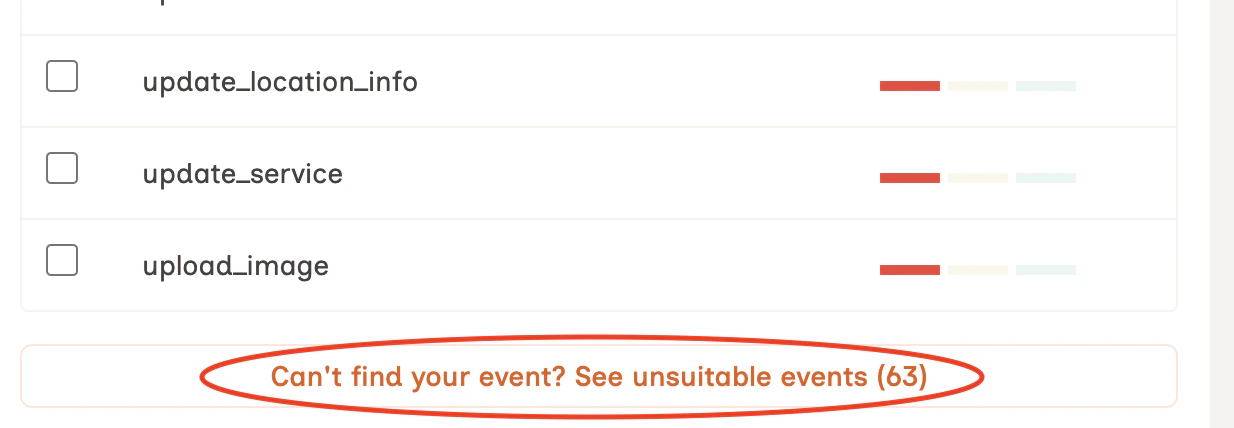
You can still use unsuitable events as target events. There is some nuance to consider.
- If the Reward Function is intended to be broadly applied to many different messages, you will want to pair up your unsuitable event(s) with at least one suitable event.
- If the Reward Function is for a focused set of messages with a distinct call to action and the unsuitable event is the result of that action, you can confidently proceed with the unsuitable event as your target event.
Step 3: Review the Individual Event Rewards
Once you’ve selected your target event(s), Aampe automatically score all other events based on how often they precede the chosen target events.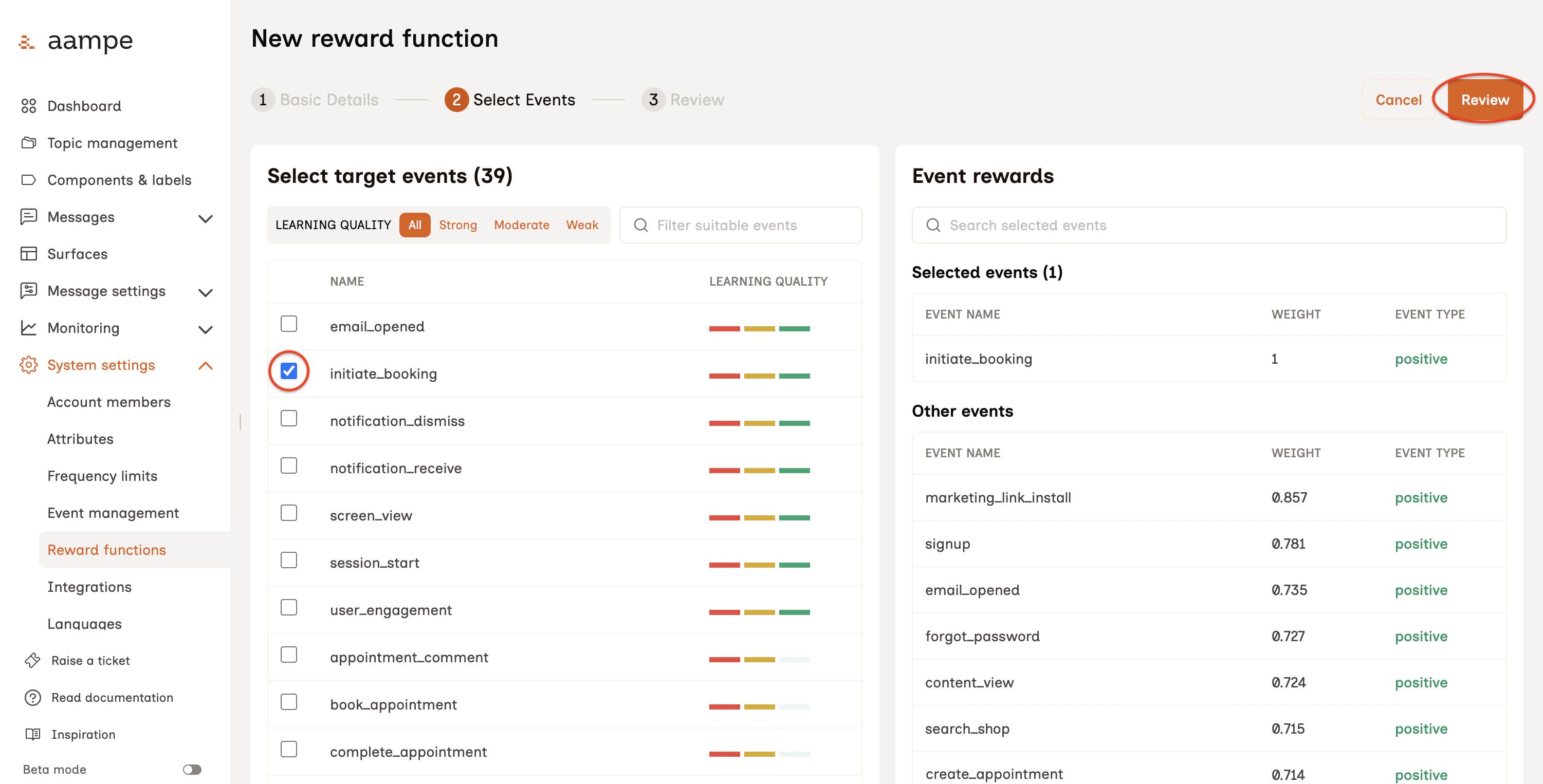
Sometimes Individual Event Rewards are Negative
Not every event in a user’s event stream is good. How does an Aampe agent account for unsubscribes, order cancellations, or other similarly bad events?Negative events receive negative rewards. Since agents learn from the sum of individual event rewards, agents will learn to avoid negative events. Click Review.
Step 3: Review and Save
Take a minute to review the Reward Function details.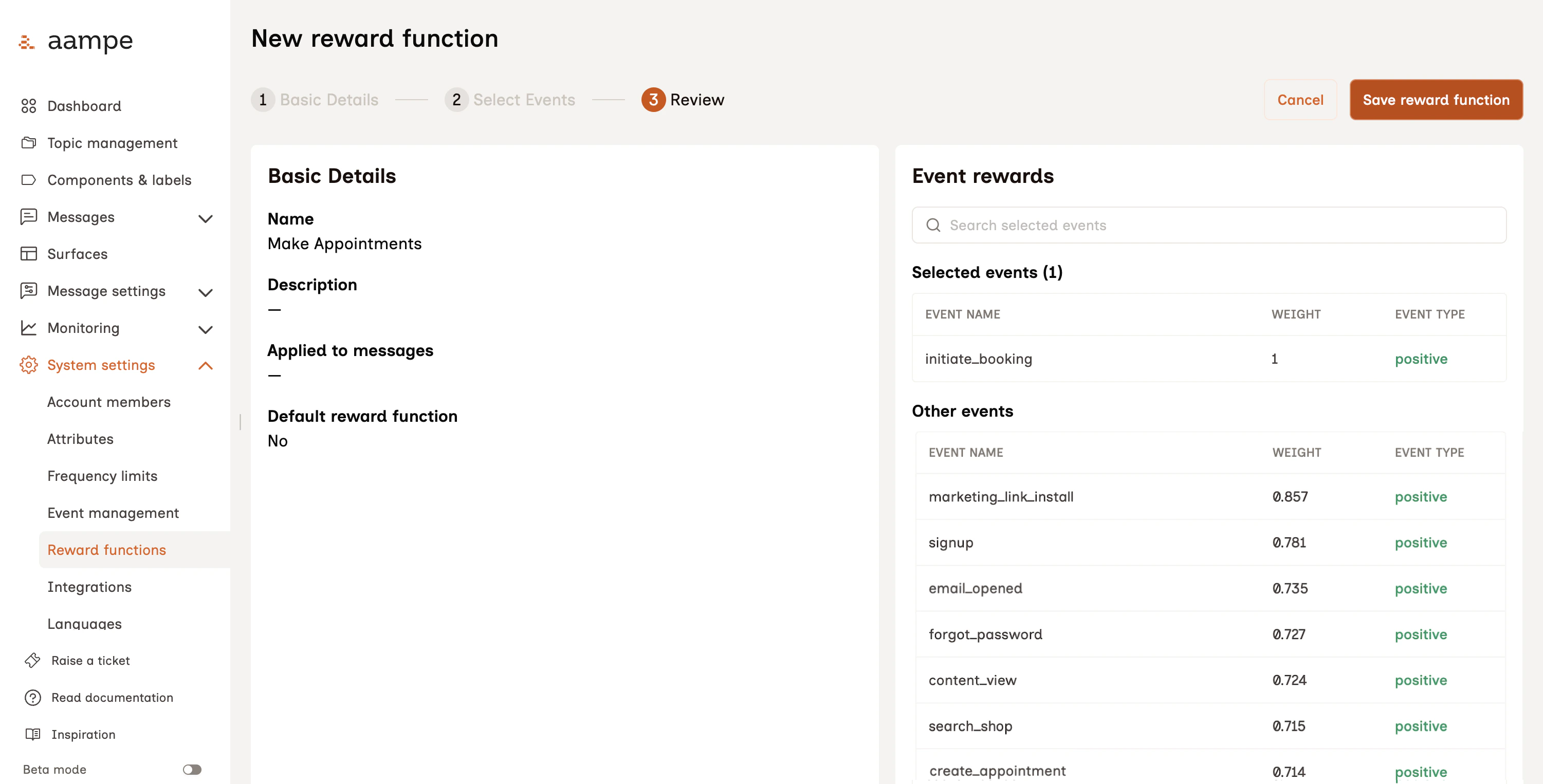
Reward Function FAQs
How many Reward Functions should we have?
How many Reward Functions should we have?
A reward function tells agents what high-level use case they should be paying attention to when they’re judging the success of a message. So we recommend one reward function per high-level use case (for example, if you have a goal for increasing subscriptions and a goal for increasing conversion, that’s two RFs).Some customers only require one RF to cover their use cases; some have three to five. It depends on the use cases you want your agents to think about.Pro tip: You don’t need to get too granular within the use case. For example, purchasing shoes, hats and shirts can all share one “purchase” RF. The system does not benefit from a distinct RF for shoes vs hats vs. shirts.
Will adding additional Reward Functions confuse my default Reward Function?
Will adding additional Reward Functions confuse my default Reward Function?
No. If anything it helps provide agents with helpful context when evaluating the success of a message.Messages about referrals should be evaluated on how they generate referrals while messages about purchases should be evaluated on whether they generate incremental purchases.
How do Reward Functions differ from Event Types?
How do Reward Functions differ from Event Types?
Event Types is how Aampe categorizes events as positive, negative, or irrelevant. Target events can only be selected from positive events. Negative events will have negative event rewards. Agents ignore irrelevant events when calculating the final reward for a message. See the Event Types page for setup instructions.
What makes an Target Event suitable?
What makes an Target Event suitable?
Events work best when they provide a strong, consistent signal about user behavior. A suitable event typically has the following characteristics:
- **Broad coverage: **The event applies to a large portion of your user base, not just a small segment.
- **Repeatable behavior: **Users trigger the event across multiple days, allowing the system to learn patterns over time.
- **Occurs regularly: **The event typically happens within a week and is distributed throughout the week.
- **Discrete action:**The event represents a clear, trackable action such as a click, play, or purchase.
- **Balanced frequency: **The event occurs at a reasonable rate per user. It is not so rare that it lacks signal, and not so frequent that it becomes noisy
If you need more specifics or deep dive into Target events, please reach out to your Customer Success Manager.
What makes an Target Event unsuitable?
What makes an Target Event unsuitable?
Events are not effective when they lack consistency, scale, or clarity. Avoid using events with the following characteristics:
- Limited coverage: The event is triggered by only a small subset of users.
- Infrequent or inconsistent: The event does not repeat reliably across days or within a short time window.
- **Irregular timing: **The event does not occur consistently throughout the week.
- **Ambiguous or continuous signals: **The event is not a clearly defined action and may represent a state rather than a behavior.
- **Too sparse or low signal: **The event does not occur often enough to provide meaningful learning, or does not reflect meaningful user intent.
If you need more specifics or deep dive into Target events, please reach out to your Customer Success Manager.