

- If the message is about your referral program, you would naturally measure success by looking at increases in referral events
- If the message is about using some specific product feature, you would measure success by monitoring usage of that product
Overview: How Aampe Evaluates Messages
Aampe determines if messages succeed by looking for changes in a user’s event feed. Each event has a numeric value (“reward”). An agent examines the sum of event rewards for a window of time before and after a message was sent to determine if the user increased their activity in response to the message.Not all events are equally important. Agents typically places small rewards on log-ins, button clicks, and similar events and larger rewards on key conversion events. How do we determine the reward for each event?
Building A Reward Function
Step 1: What specific outcome do you want to see as the result of a message?
Building a Reward Function starts by identifying the one desired outcome you want to see as a result of a message. Examples of key outcomes include:- Making a purchase
- Enrolling in a paid subscription
- Streaming a movie or a song
- Referring a friend
- Trying out a new product feature
- Signing up for a webinar
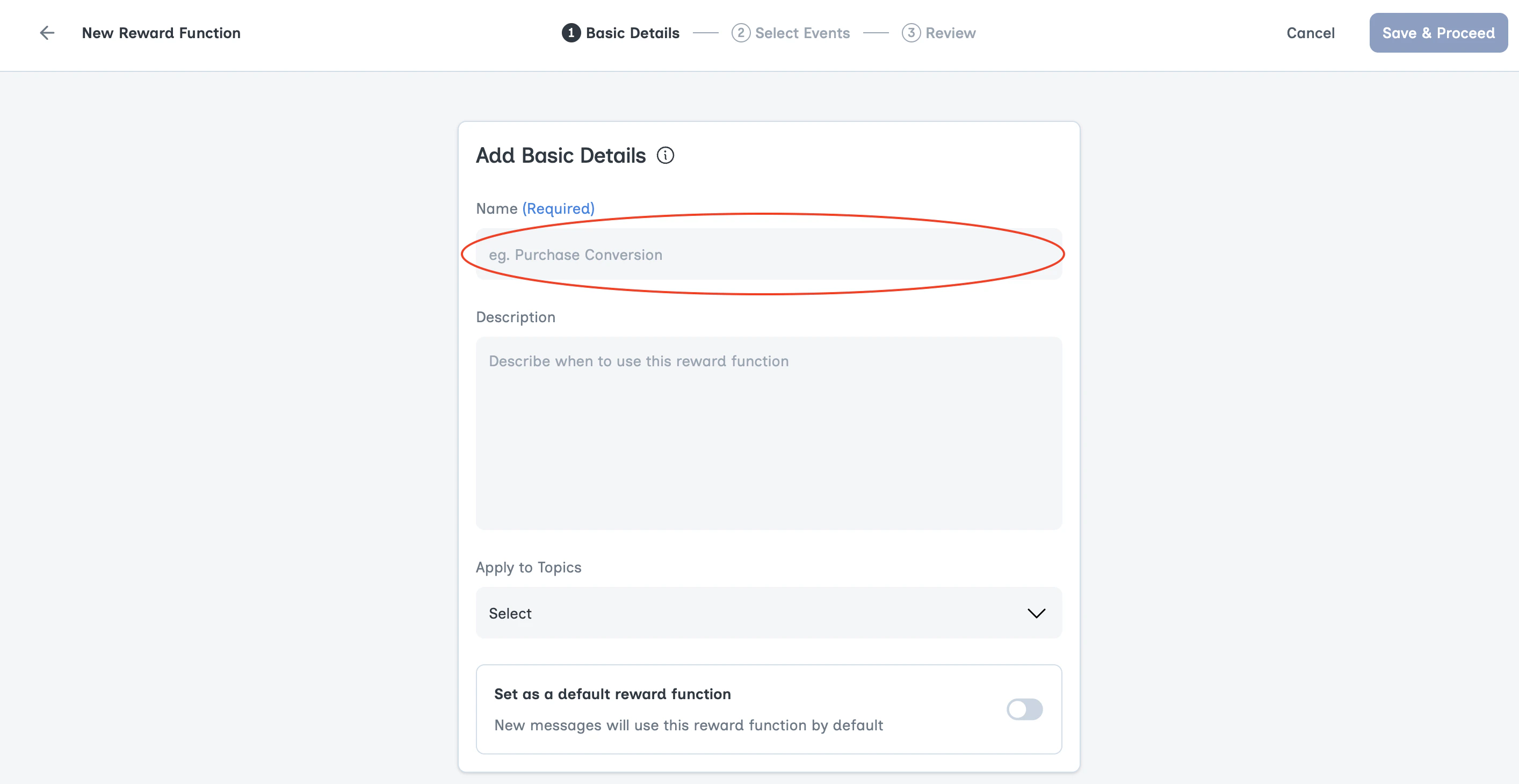
Step 2: Identify Target Events
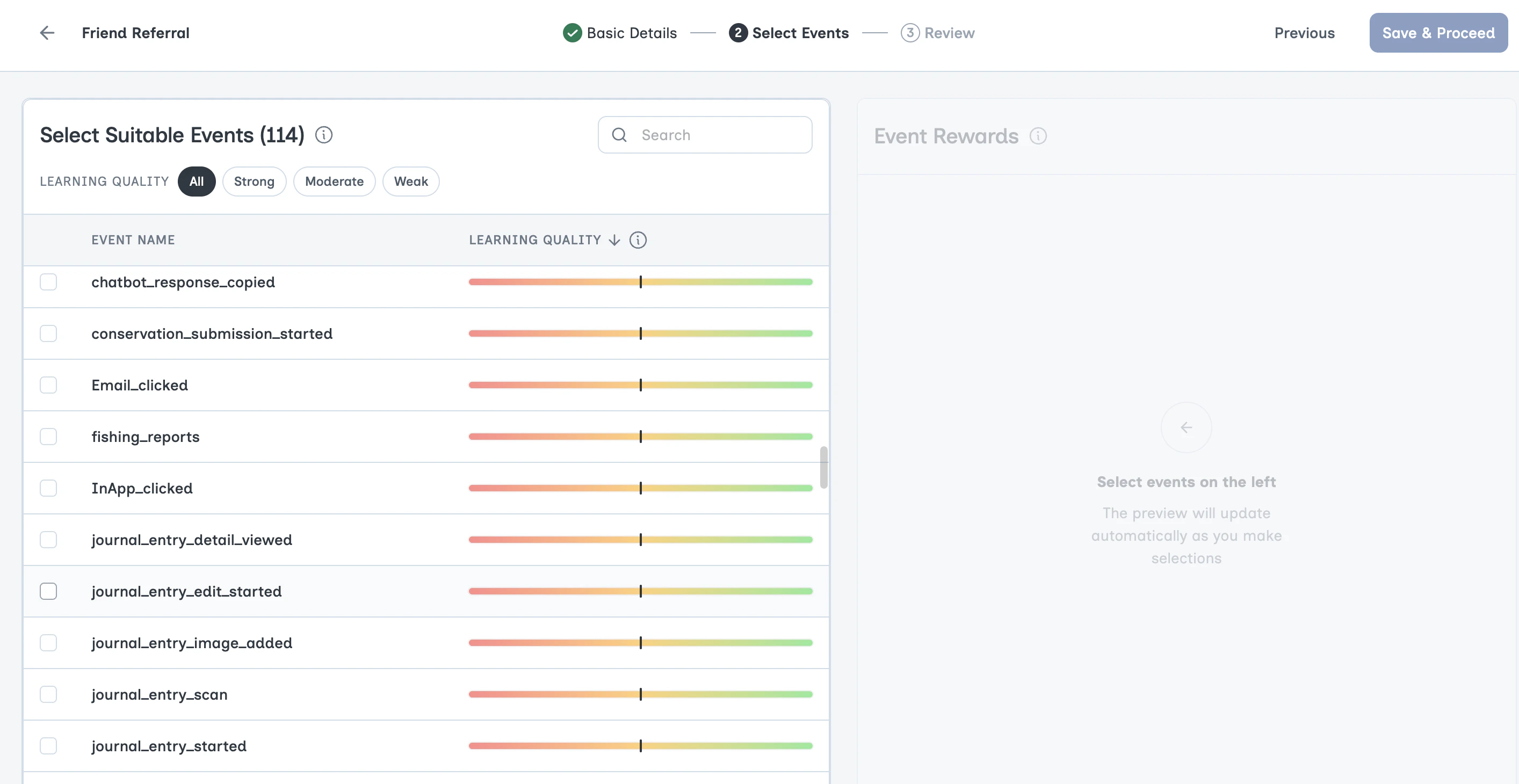
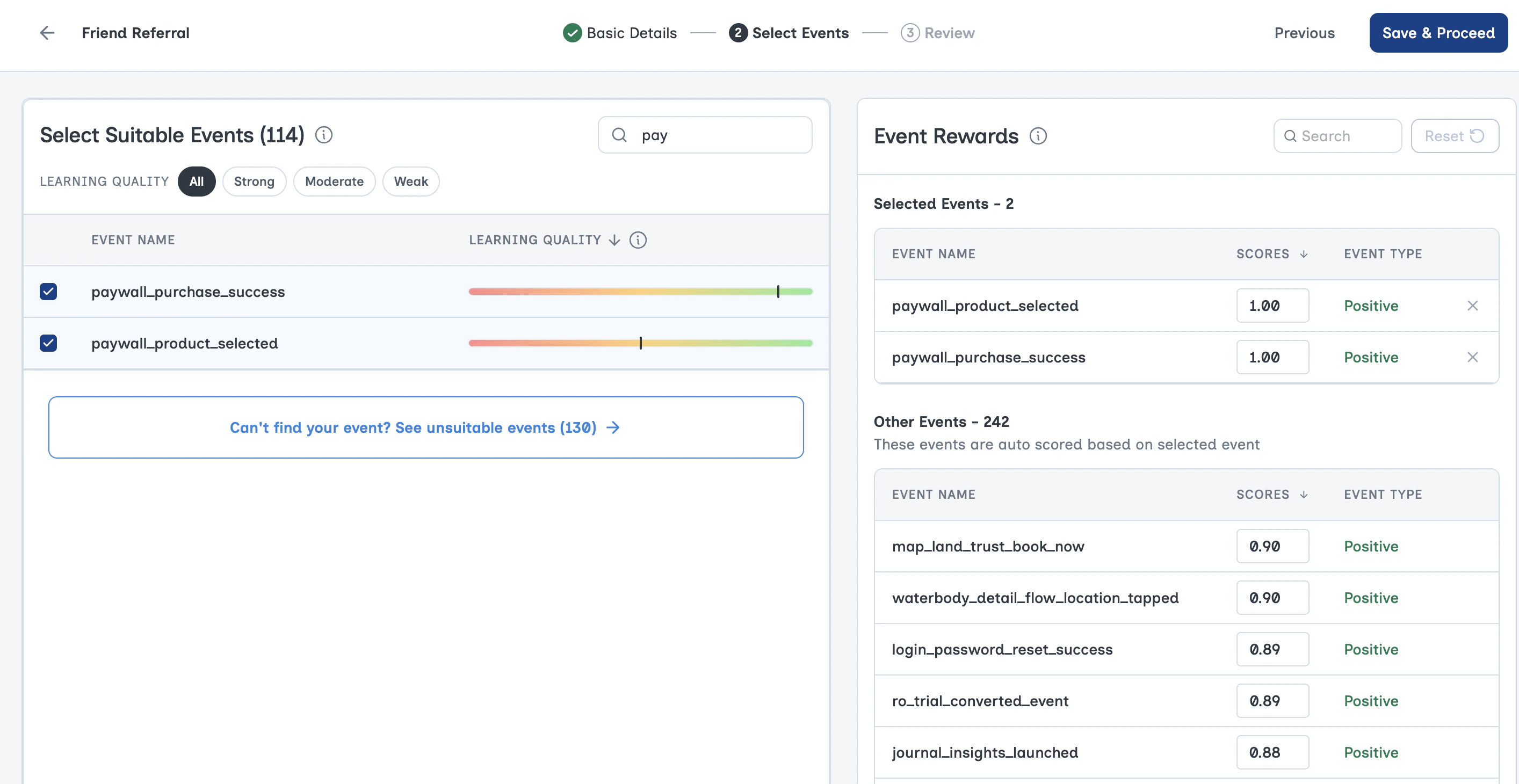
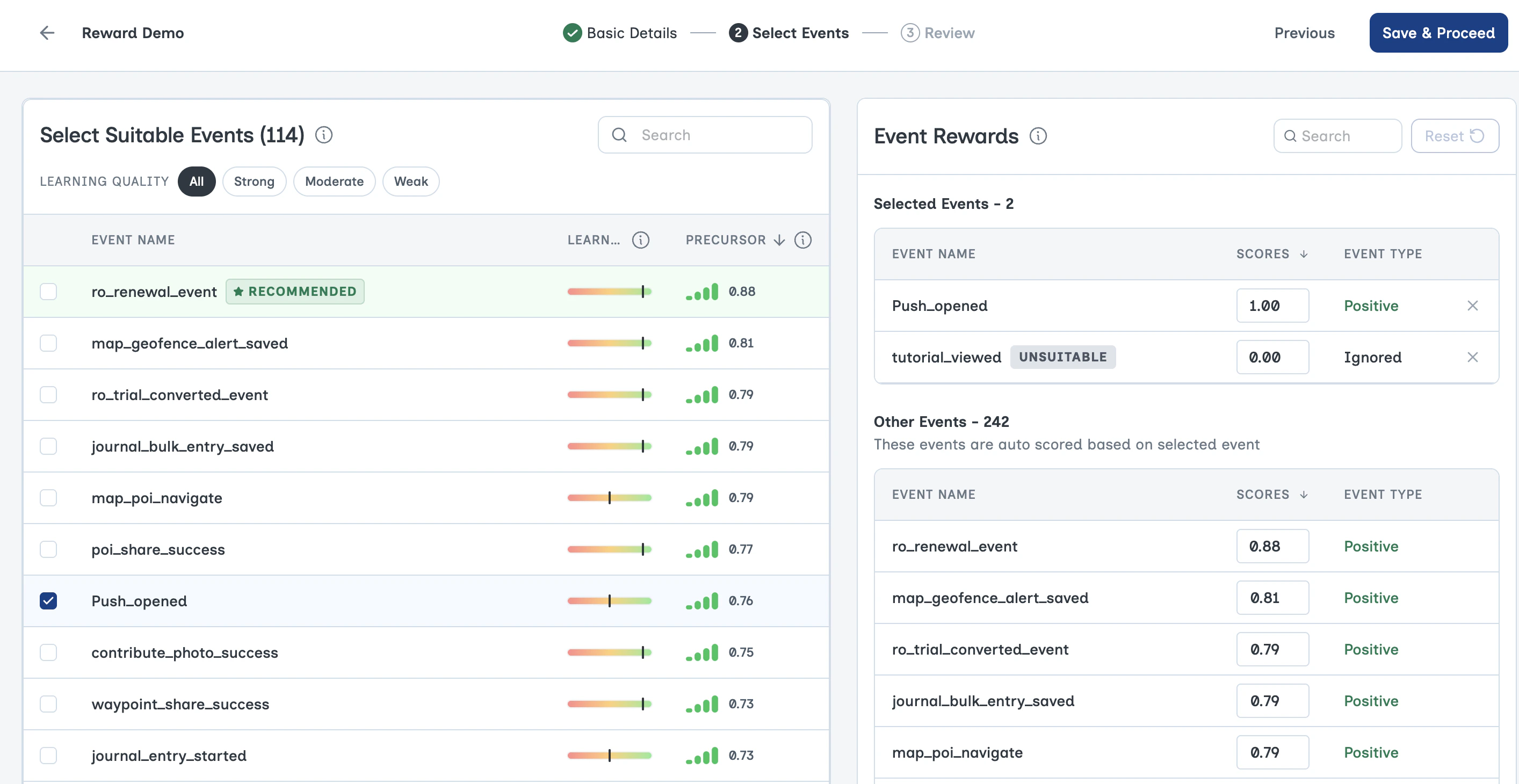
With the key outcome in mind, we need to determine which events in the event feed are the best clues that the message has been successful. Aampe calls these events Target events. These events receive full points when observed within an attribution window. By default, all other positive events receive some amount of partial credit.Example: Let’s say I want to set up a Reward Function for messages focused on selling a product. I am going to name my Reward Product “Selling Products” and look for events in my event feed mean someone bought my product.**Reality check: **Two things tend to make this exercise difficult
- Event streams are messy
- Not all events are equally useful as Target events.
The partial credit Aampe assigns for these events is central to how Aampe works. Not every message will lead to a purchase. But there is still an opportunity to learn based on more subtle behavior changes.
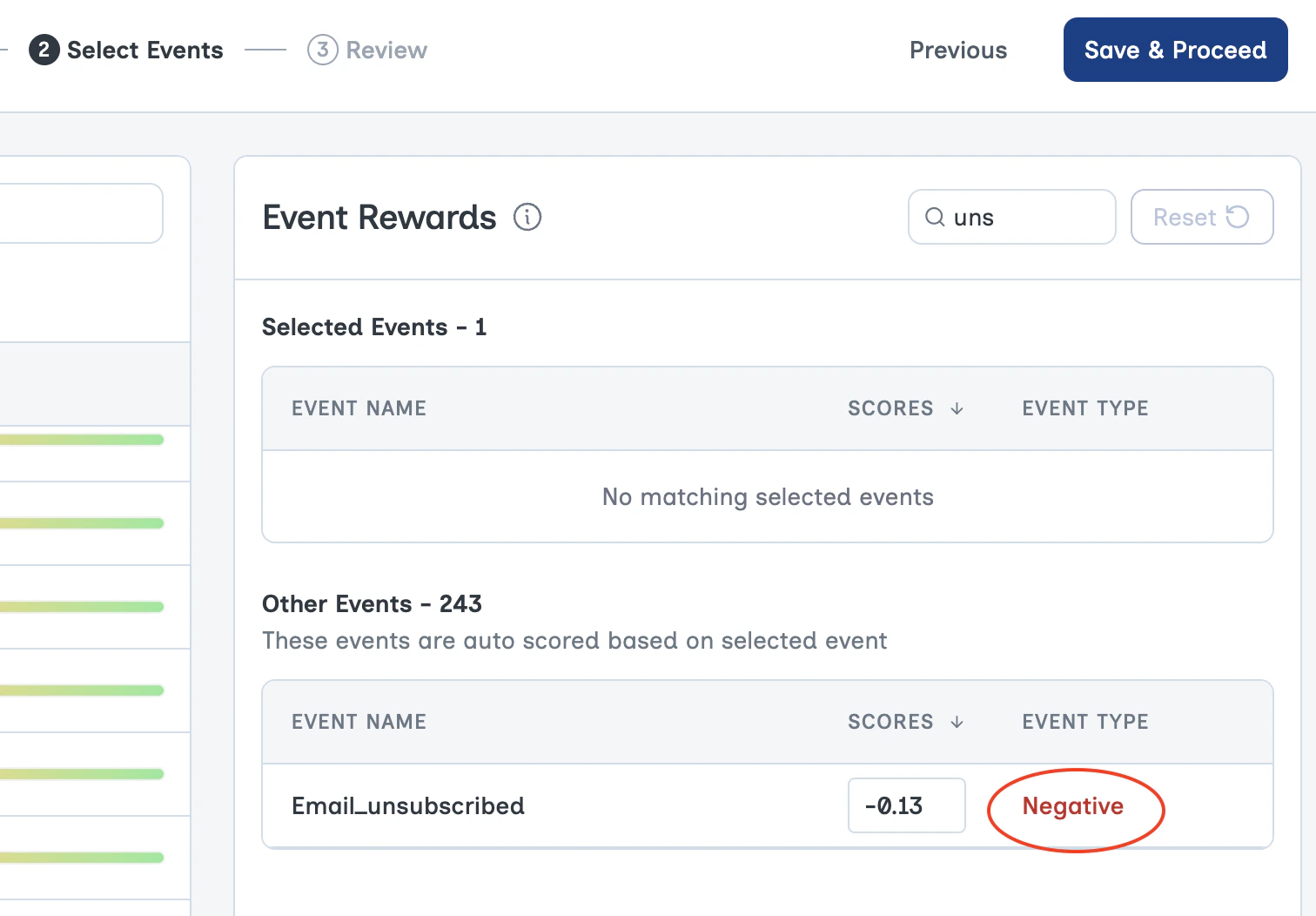
Sometimes Individual Event Rewards are Negative
Not every event in a user’s event stream is good. How does an Aampe agent account for unsubscribes, order cancellations, or other similarly bad events?Negative events receive negative rewards. Since agents learn from the sum of individual event rewards, agents will learn to avoid negative events.
What if the event I need does not provide good signal for learning?
It’s possible an event of interest is infrequent or unrepeatable and so makes a poor selection for a Target event. But it is the event you need, so what do you do now?You can still choose these rare events as Target events, but Aampe requires an additional Target event that is sufficiently frequent and repeatable.
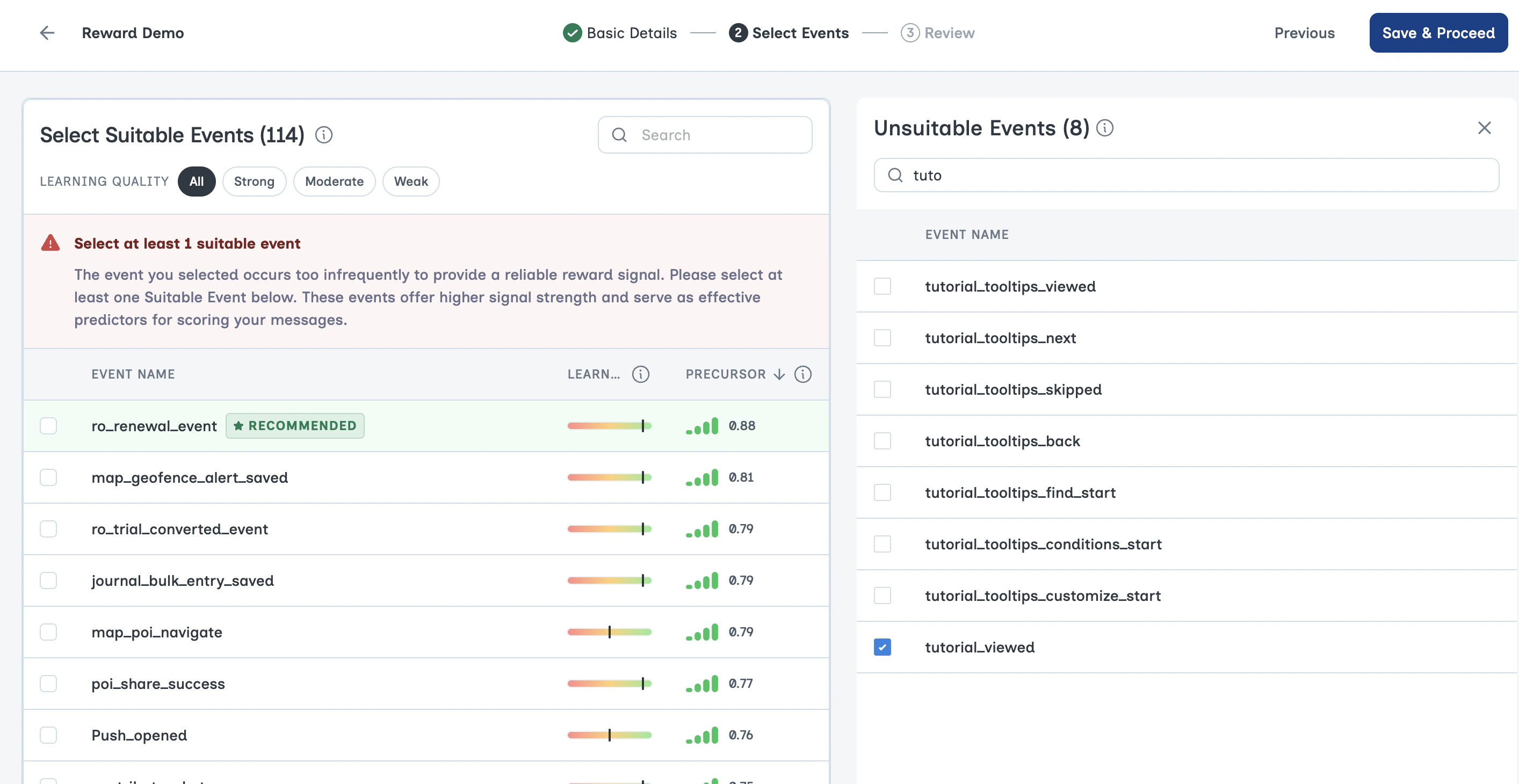
Choose any suitable Target event. You will then see the individual event rewards.
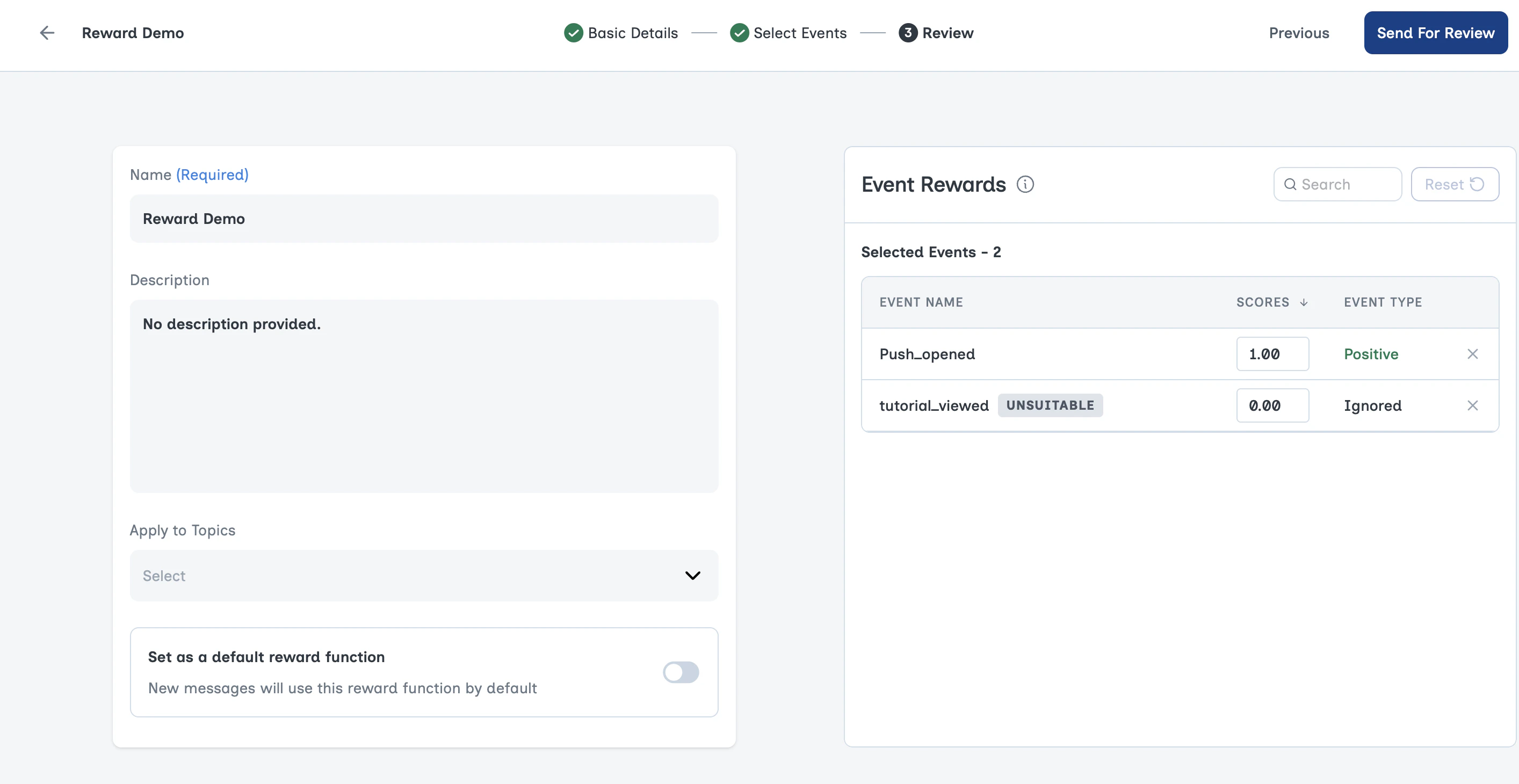
Step 3: Review
Reward Function FAQs
How many Reward Functions should we have?
How many Reward Functions should we have?
Aampe recommends a Reward Function for each distinct customer experience you encourage through your content.Most Aampe customers have 3 to 5 Reward Functions. It is not necessary or helpful to have a unique Reward Function for each offering. Buying shoes, hats, and shirts can all share one Reward Function for making a purchase.
Will adding additional Reward Functions confuse my default?
Will adding additional Reward Functions confuse my default?
No. If anything it helps provide agents with helpful context when evaluating the success of a message.Messages about referrals should be evaluated on how they generate referrals while messages about purchases should be evaluated on whether they generate incremental purchases.
How does Aampe allow multiple objectives when so many AI products struggle with multiple objectives?
How does Aampe allow multiple objectives when so many AI products struggle with multiple objectives?
While you can create multiple Reward Functions in the Aampe UI, agents really have one objective which is to increase the sum of event rewards as much as possible.The global objective is very flexible and resilient to adjustments on a per-message basis. In every case, we’re simply summing the value of individual event rewards.
How do Reward Functions differ from Event Types?
How do Reward Functions differ from Event Types?
Event Types is how Aampe categorizes events as positive, negative, or irrelevant. Target events can only be selected from positive events. Negative events will have negative event rewards. Agents ignore irrelevant events when calculating the final reward for a message. See the Event Types page for setup instructions.