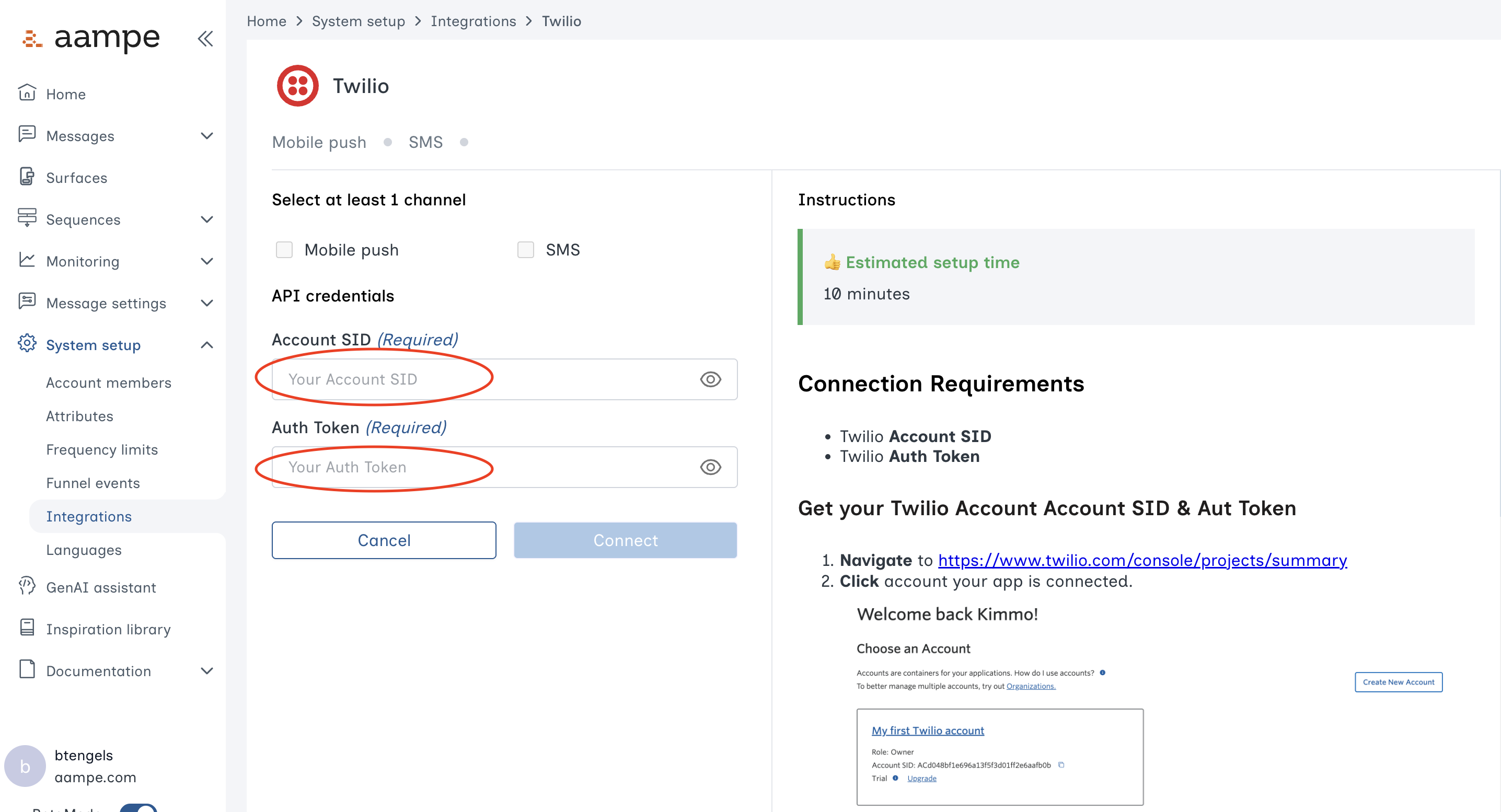
Requirements
- Twilio Account SID
- Twilio Auth Token
Get Your Twilio Account SID & Auth Token
- Navigate to https://www.twilio.com/console/projects/summary
-
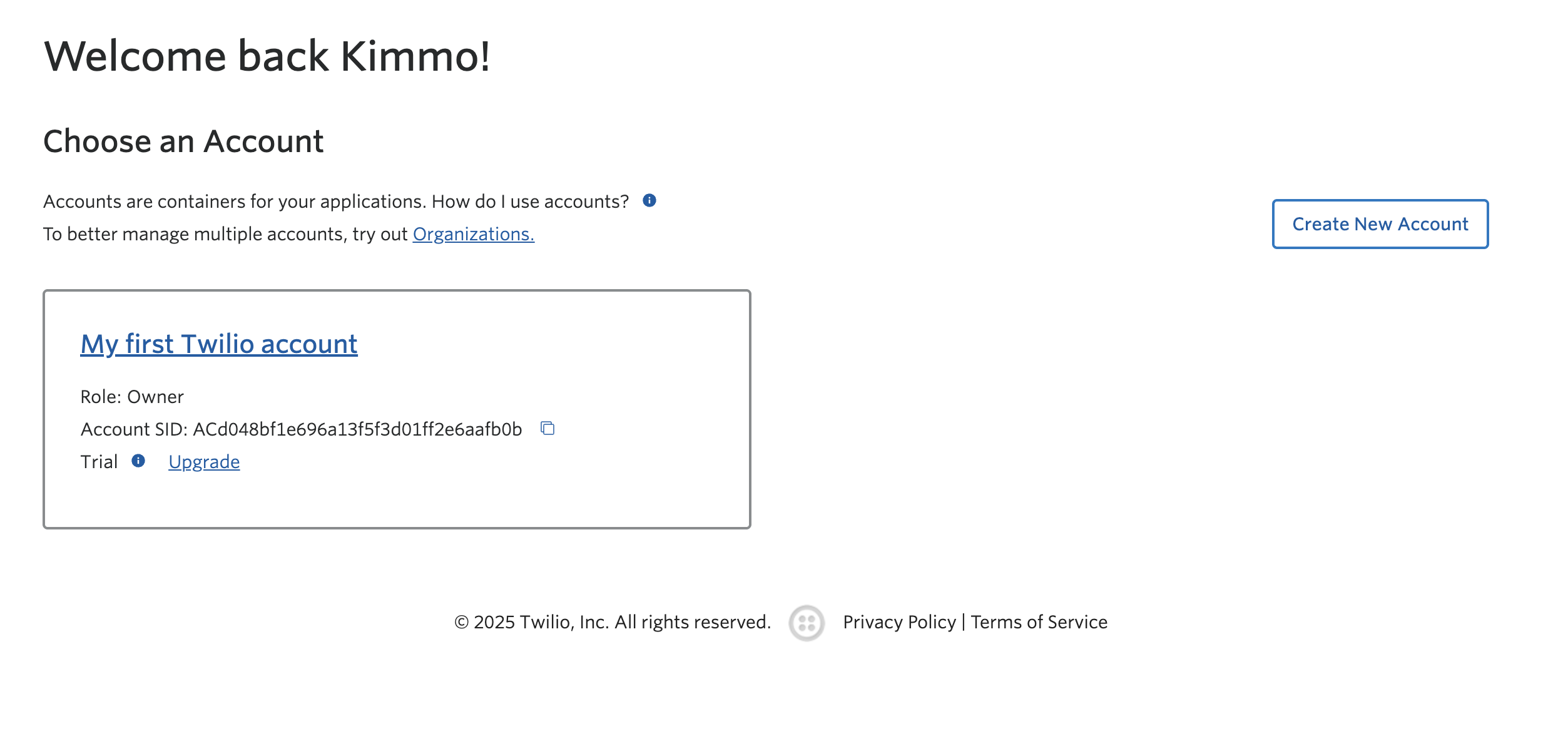
Click the account your app is connected to.
-
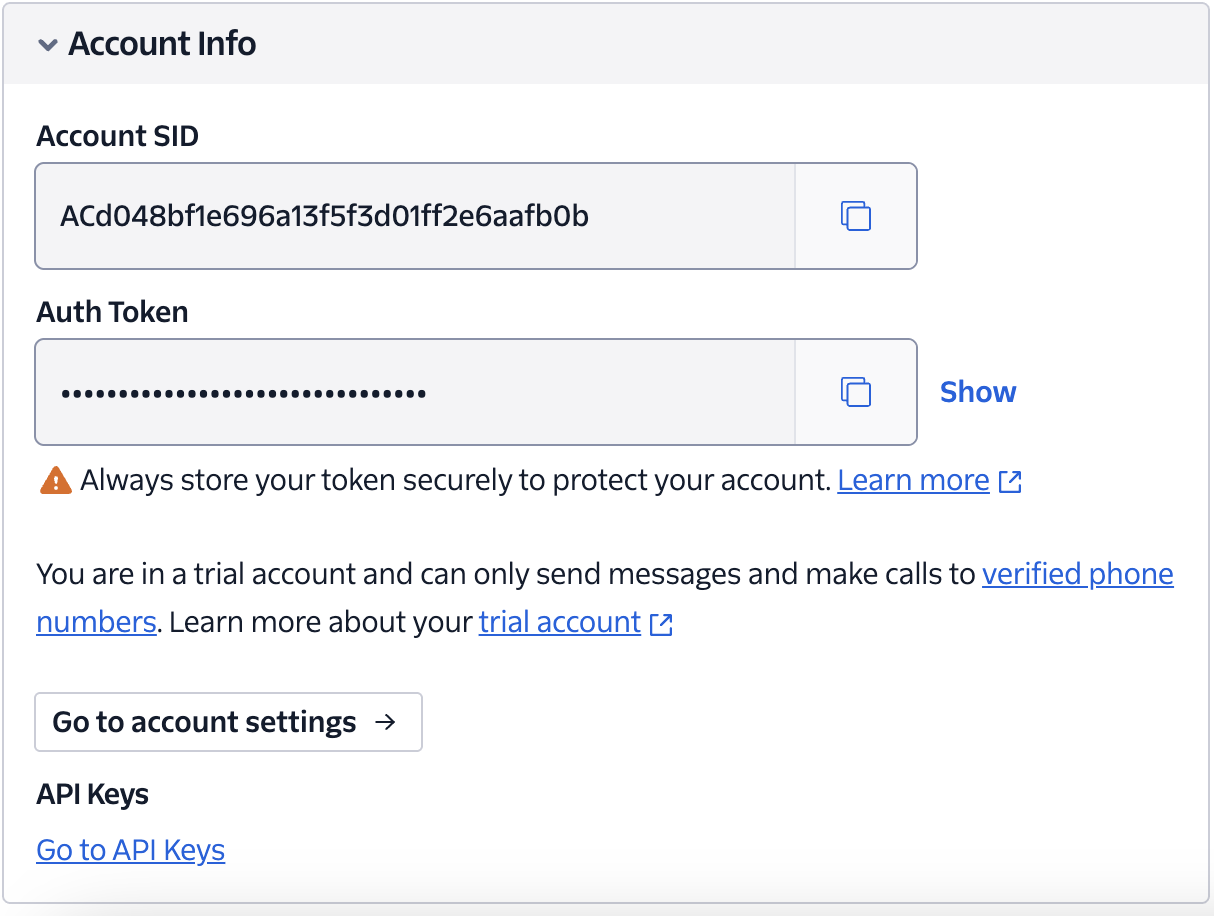
On the account page scroll down to Account Info section to get your account SID and Authentication Token
Add Twilio Account SID & Auth Token to Aampe
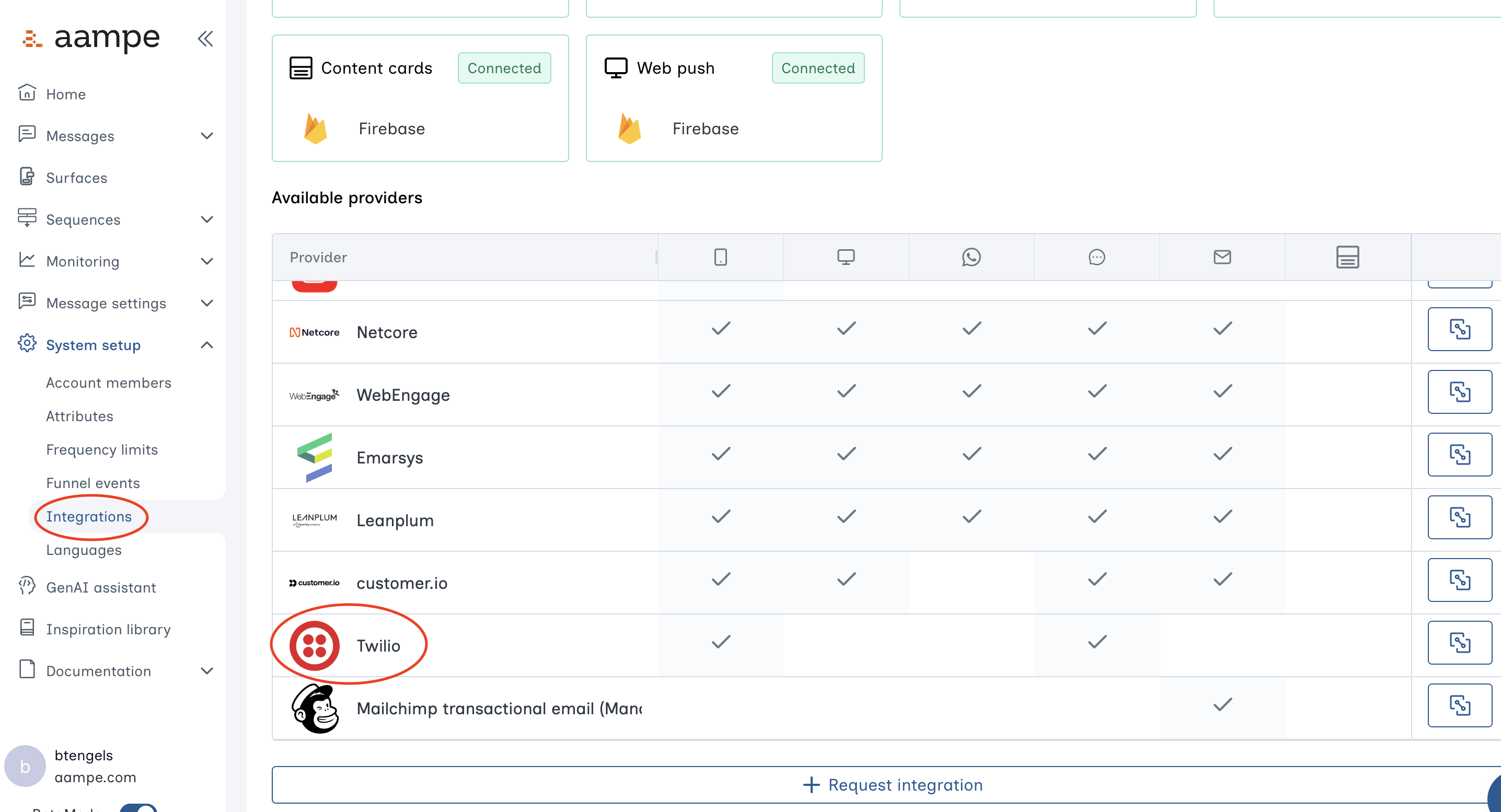
- Log into the Aampe Composer. Navigate to Integrations and find the Message provider menu. Click on Twilio.
-
Insert the Twilio keys into the relevant fields.