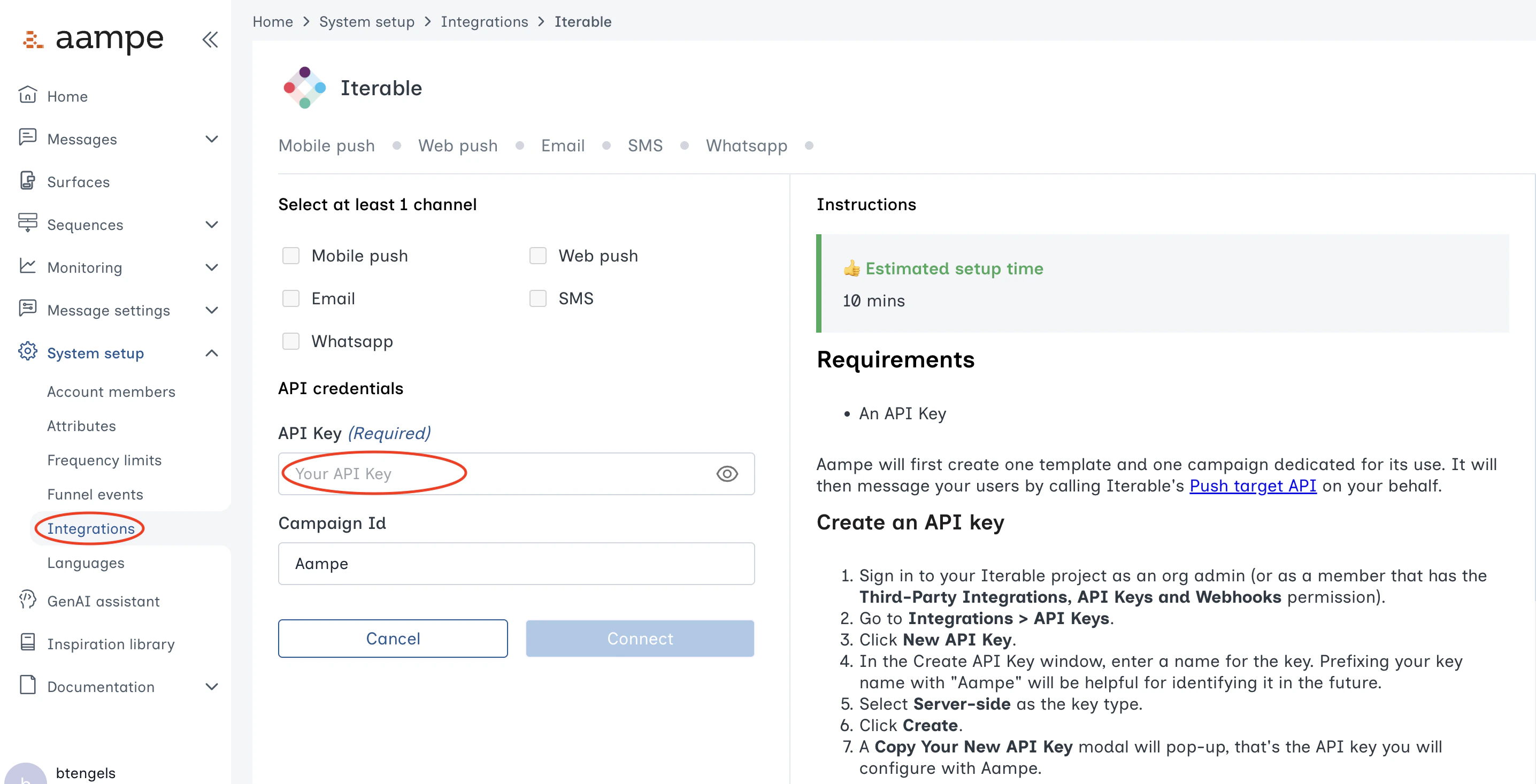
Requirements
- An API Key
Create an API Key
- Sign in to your Iterable project as an org admin (or as a member that has the Third-Party Integrations, API Keys and Webhooks permission).
- Go to Integrations > API Keys.
- Click New API Key.
- In the Create API Key window, enter a name for the key. Prefixing your key name with “Aampe” will be helpful for identifying it in the future.
- Select Server-side as the key type.
- Click Create.
- Copy your new API Key.
Save API Key in Aampe
-
Log into Aampe. Go to the Integrations page. Find the Messaging provider tab and click on Iterable.