Documentation Index
Fetch the complete documentation index at: https://kb.aampe.com/llms.txt
Use this file to discover all available pages before exploring further.
How Do I Deploy Surfaces in My App or Website?
There are two common ways that Aampe customers deploy Surfaces
- Direct Integration
- Embedded into third-party experiences (e.g. popups via Braze)
Direct Integration
Suppose you have the following text and image elements at the top of your layout.
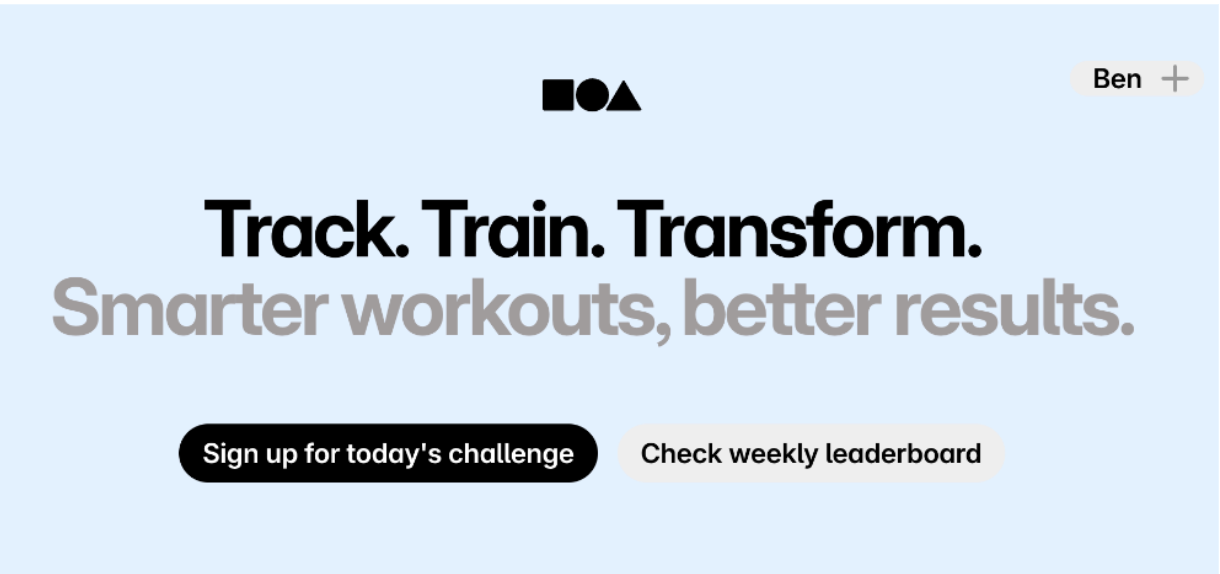
The subtitle was the winner from an A/B test last year, but you also know that some customers identify with other aspects of your business. You would love to give each customer the words that inspire them to use your product.
You have already set up the Surface in Aampe, along with several subtitles that speak to various reasons users have for using your product (click here to revisit how to set up a Surface in Aampe).
To insert Aampe-generated subtitles when a page loads, make use of code similar to the following.
// remember this is for logged-in experiences and we know the user
const contact_id = 'user_12345';
const surface_id = 'eb1efacd-cccf-492d-94ae-4fc68515cdee';
const defaultValues = {
subtitle: 'Welcome back!'
};
// call the Aampe API to get subtitle (or any field in the Surface)
fetch(`https://asia-southeast1.content.api.aampe.com/v1/surface/content?surface_id=${surface_id}&contact_id=${contact_id}`, {
headers: { 'Authorization': `X-API-KEY ${<api key here>}` }
})
.then(res => res.json())
.then(data => {
const alt = data?.[0]?.alternates?.[0] || {};
const subtitle = alt.subtitle || defaultValues.subtitle;
// Set page elements to values provided by Aampe
document.getElementById('top-subtitle').innerText = subtitle;
})
.catch(() => {
// Fallback in case of error
document.getElementById('top-subtitle').innerText = defaultValues.subtitle;
});
You’ll need three things to call your Surfaces API:
- proper authorization - an API key
surface_id- available within the Aampe composer for each surface
contact_id - the unique person identifier used by Aampe
In this example, the API results will populate the subtitle. You can follow the same pattern to personalize other elements such as colors, image URLs, or layout.
Third-Party Integration
Suppose you wanted to populate the same subtitle, but instead of the landing page we’re updating an in-app popup.
You follow the same steps of (1) calling the Aampe API and (2) returning the parsed results to whatever tool renders the screen.
{{connected_content
method: "GET",
url: "https://api.aampe.com/v1/surface_content",
headers: {
"Authorization": "Bearer your_api_key_here"
},
params: {
"user_id": "{{${user_id}}}",
"surface_id": "eb1efacd-cccf-492d-94ae-4fc68515cdee"
},
fallback: "Smarter workouts, better results"
}}
{{#if content.[0].subtitle}}
{{content.[0].subtitle}}
{{else}}
"Smarter workouts, better results"
{{/if}}
API Documentation
See here for the full Surfaces API documentation.