

1
Create a Template
Under Message Settings > Email templates, click Create.
2
Build your template
Use the Email Template Config app
The app allows you to build out your email templates for the agents to send
3
Create a New Email Message
In the Messages panel, click Create a New Message to bring up the following menu. Click Email.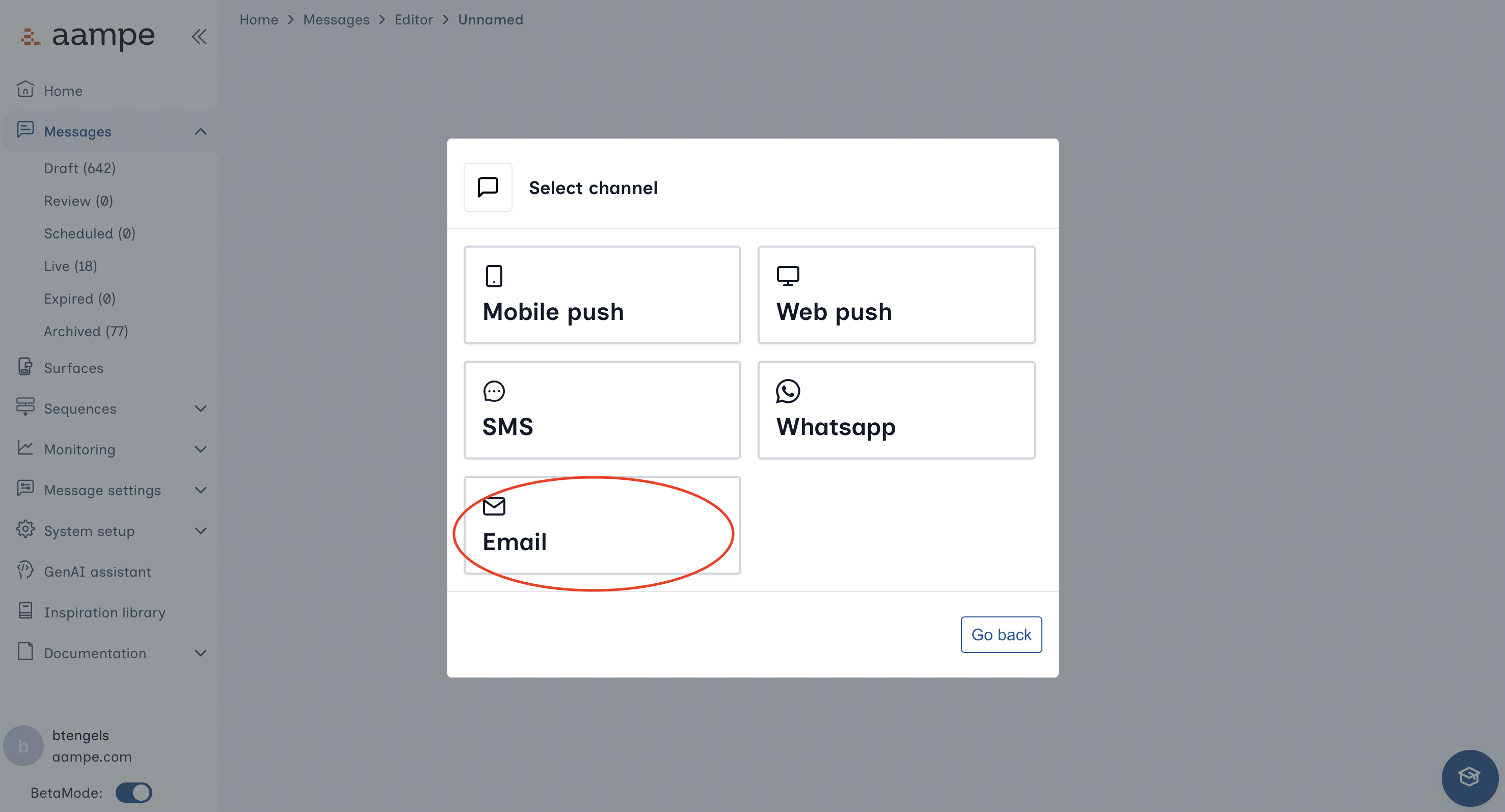
4
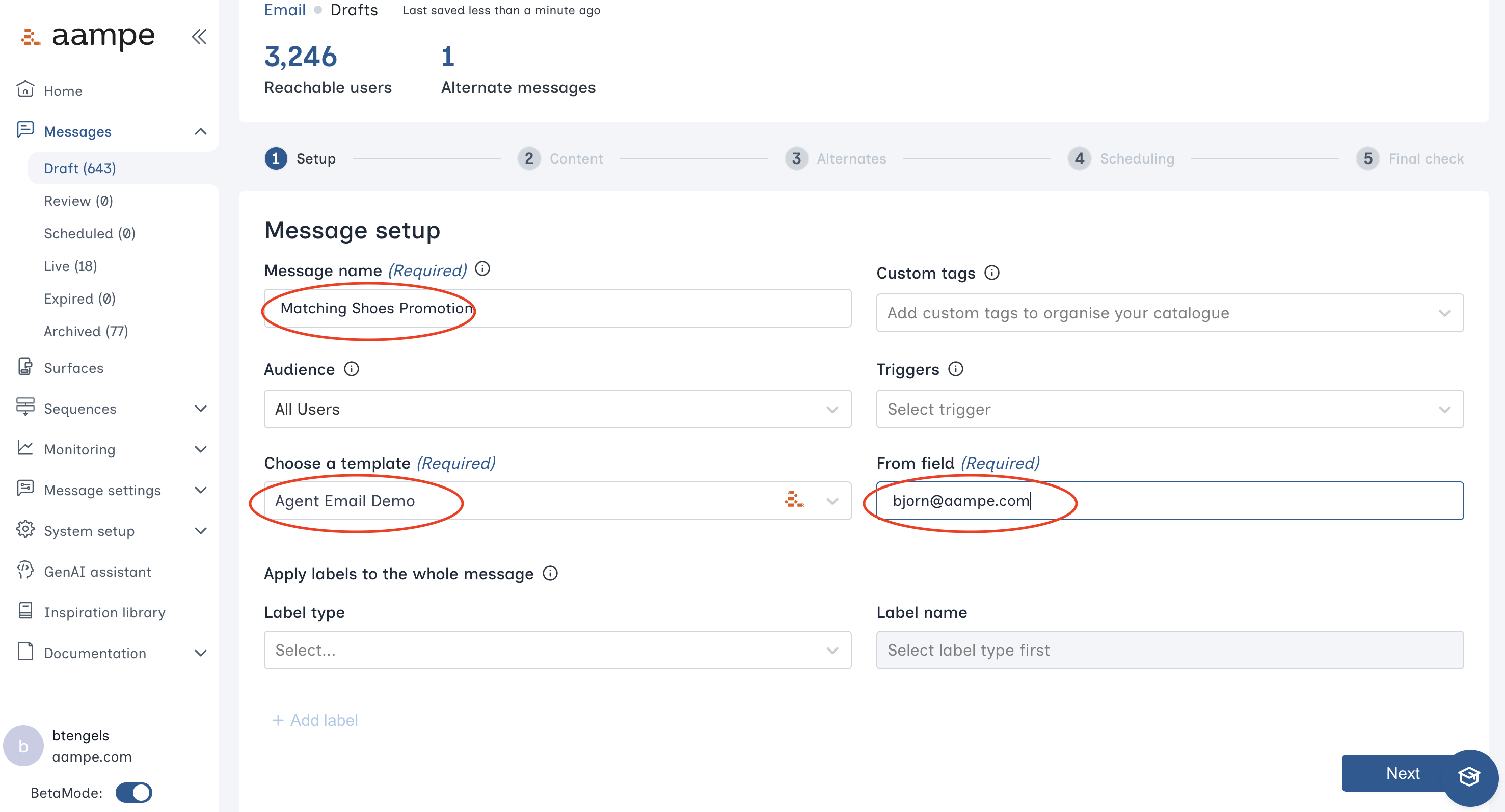
5
Populate a Template with Content
To build out the dynamic content for your email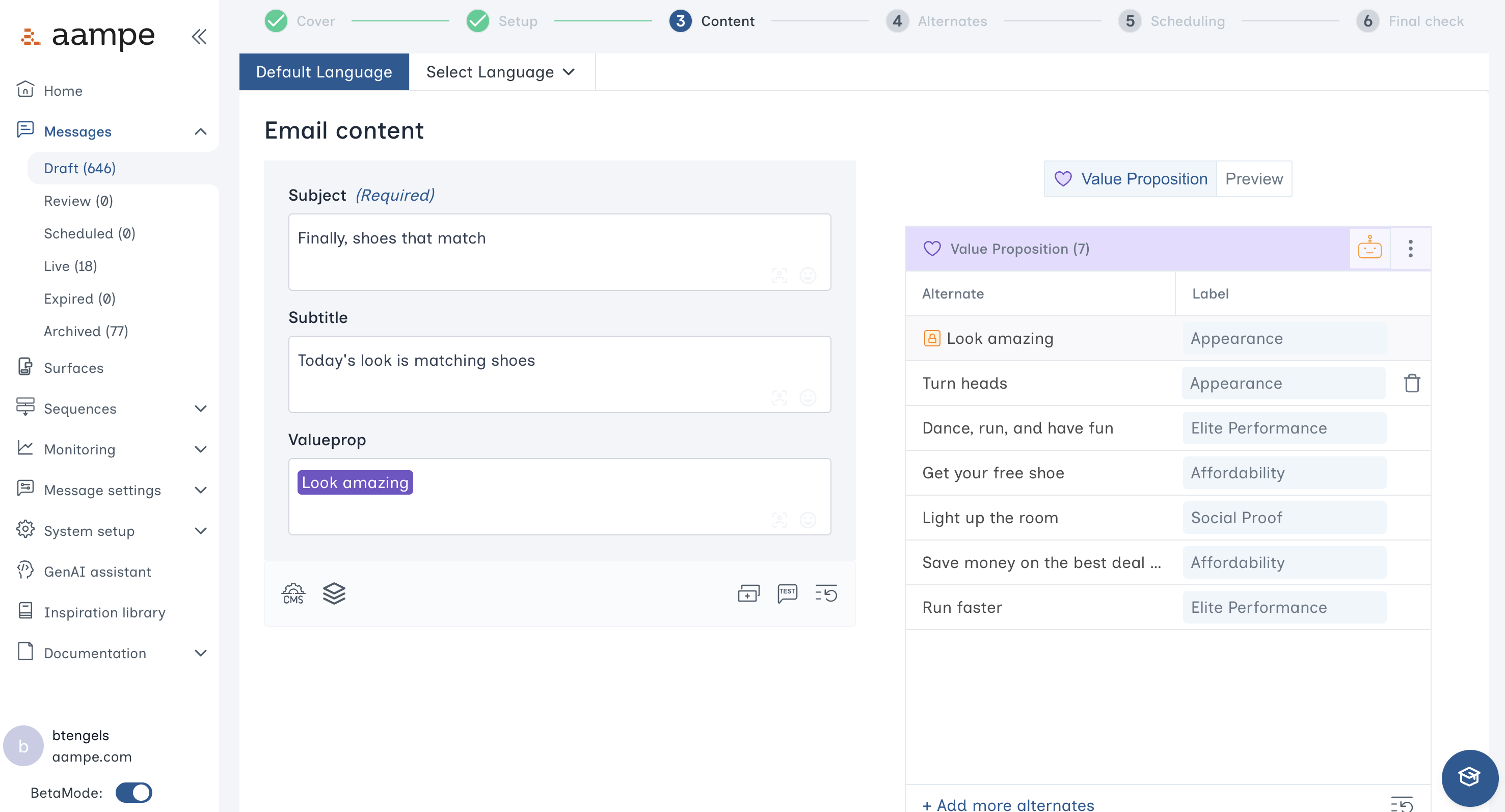
- Enter text
- Highlight any text you would like to vary across users
-
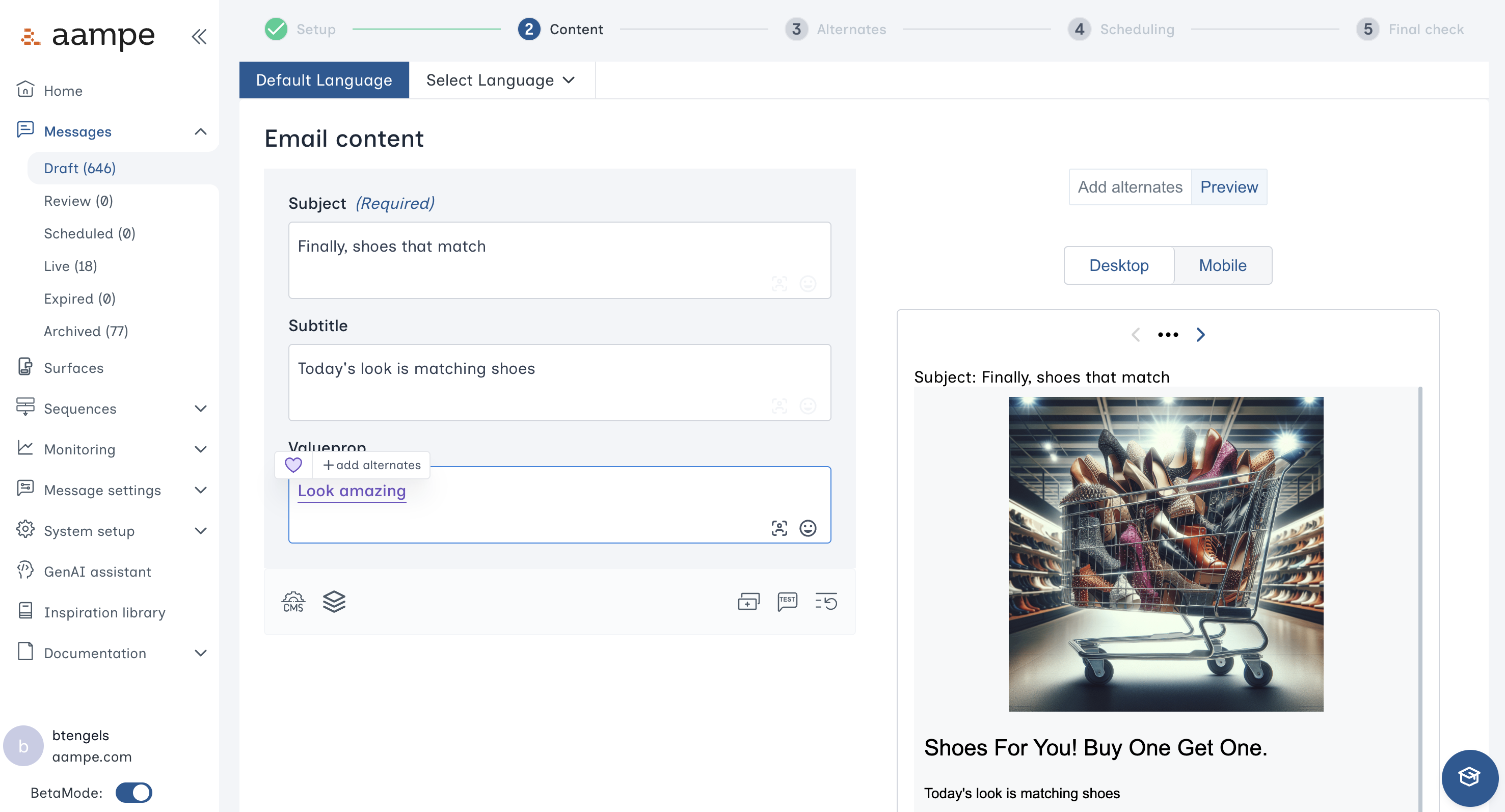
Create the specific variants using Component and Labels. Need a refresher on components and labels? See here for a deep dive with examples for each of our label groups.
6
Review all Alternates
After creating all the variants, click Next and review all the alternates and labels for each field. Once done, proceed to Scheduling.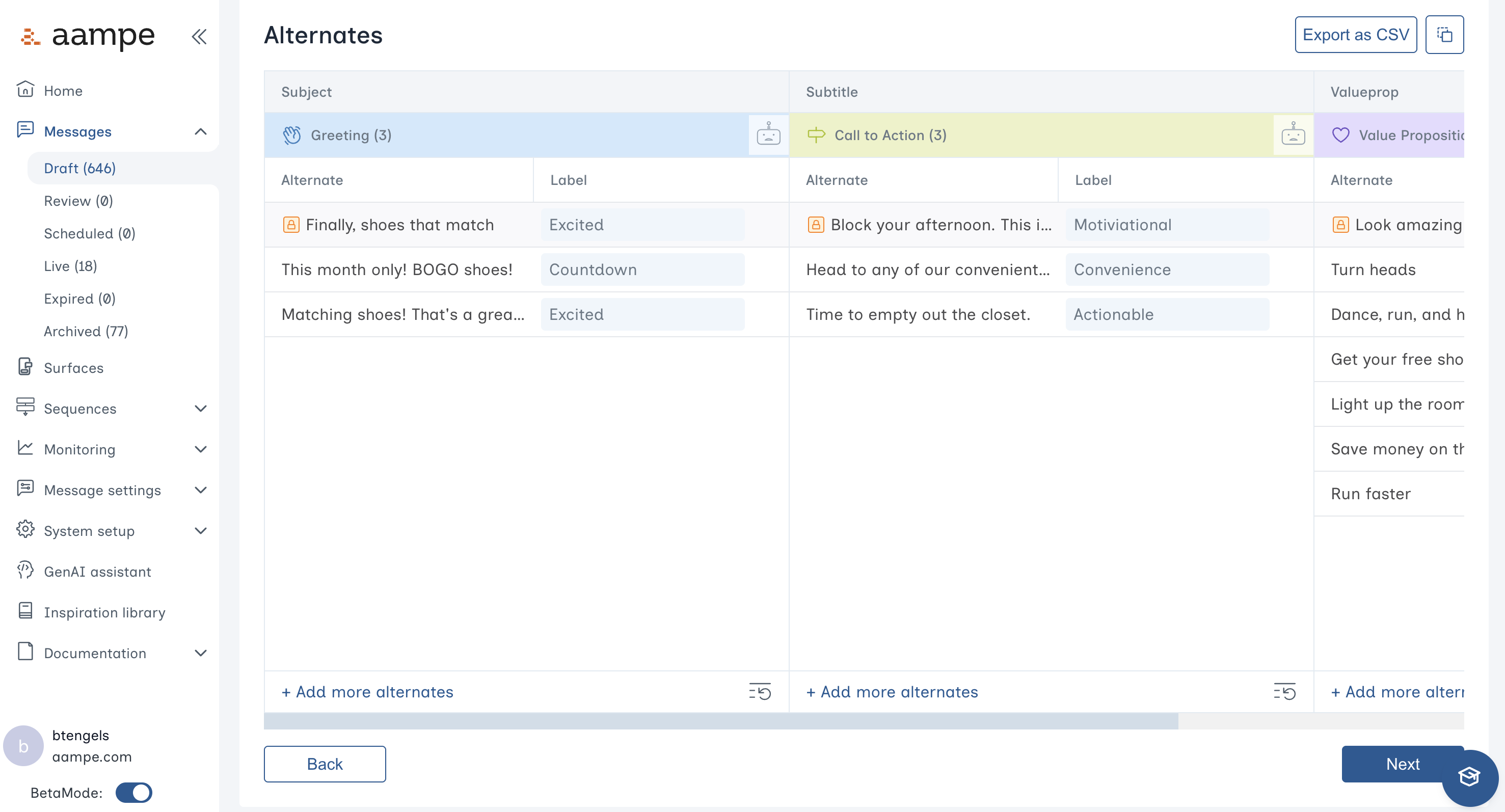
7
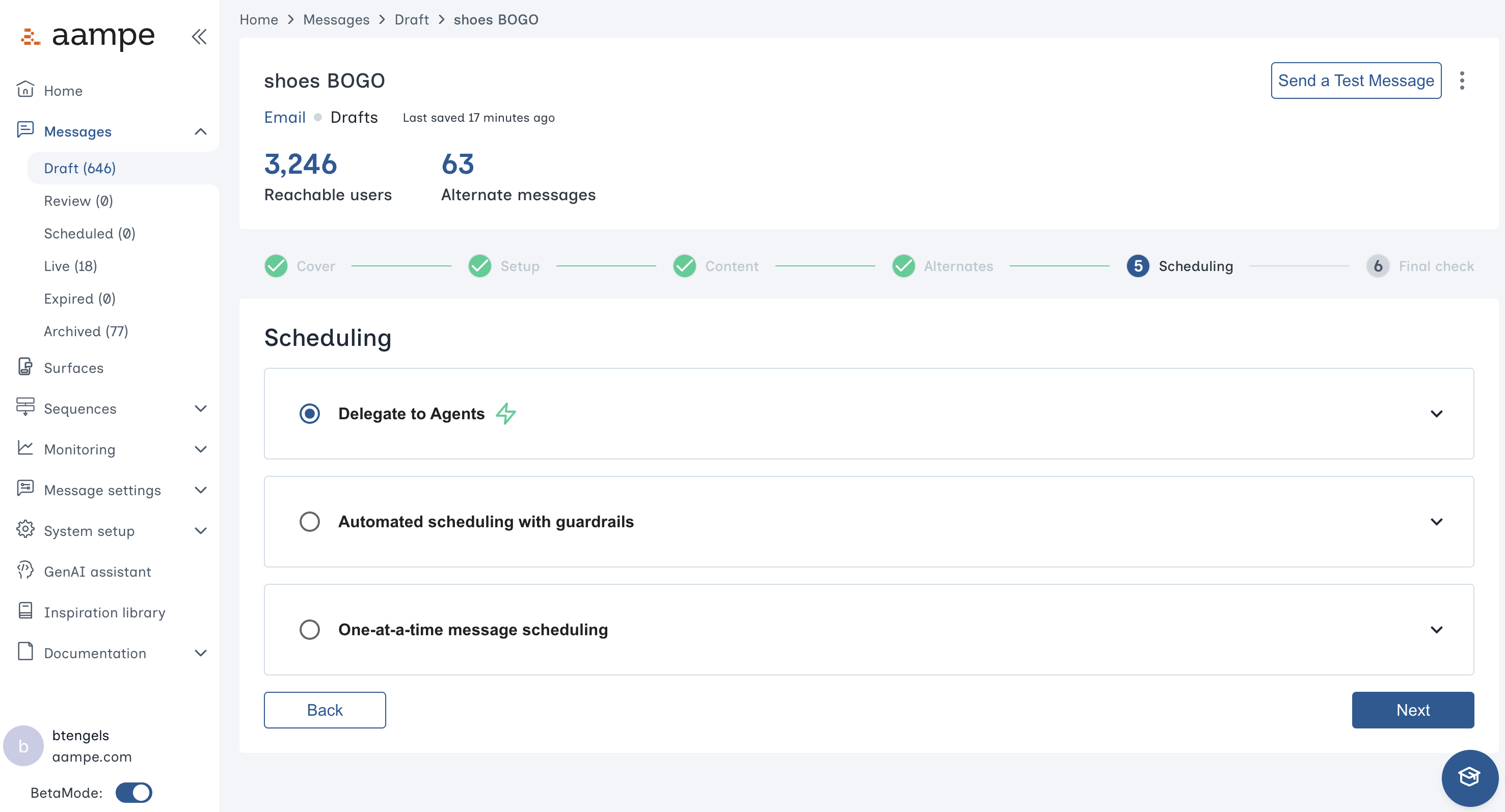
Choose your preferred scheduling heuristic
- Delegate to agents: Your agents determine the ideal variant and time for each user.
- Automated scheduling with guardrails: Specify certain days of the week, specific calendar days, or hours of the day that agents can operate within.
- One-at-a-time message scheduling: Send to everyone at once, bypassing the agent
8
Final Review
In the final panel you can click through alternates to inspect the final result. You can also send a test email to yourself or someone else for a high-fidelity test.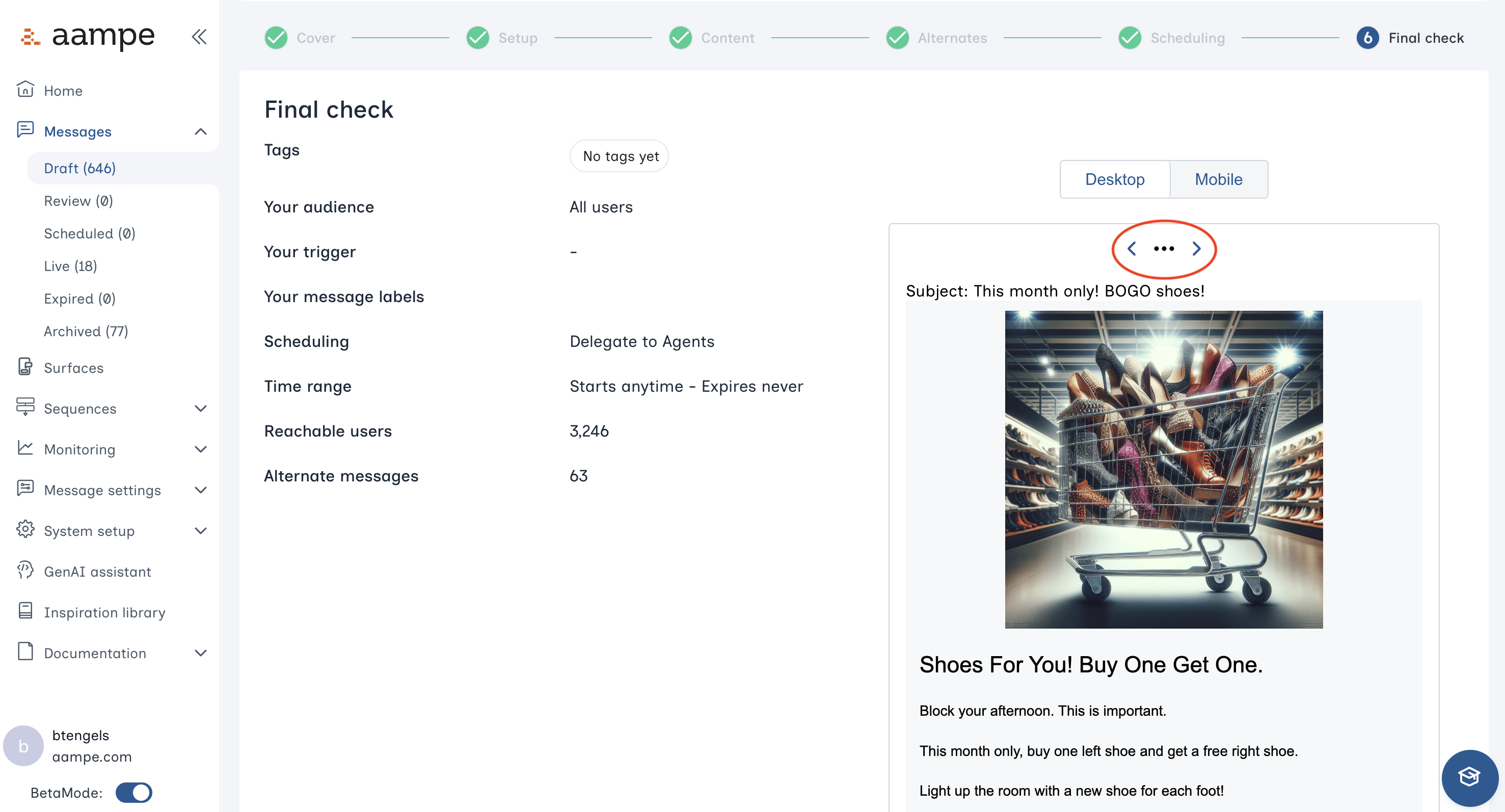
9
Click Save & Send your email message for Review or make it Live.
Congrats! Your email message is available for agents to send.