Setting up your Event Funnel
Complete the following steps to set up your event funnel.Step 1: Import Relevant Events
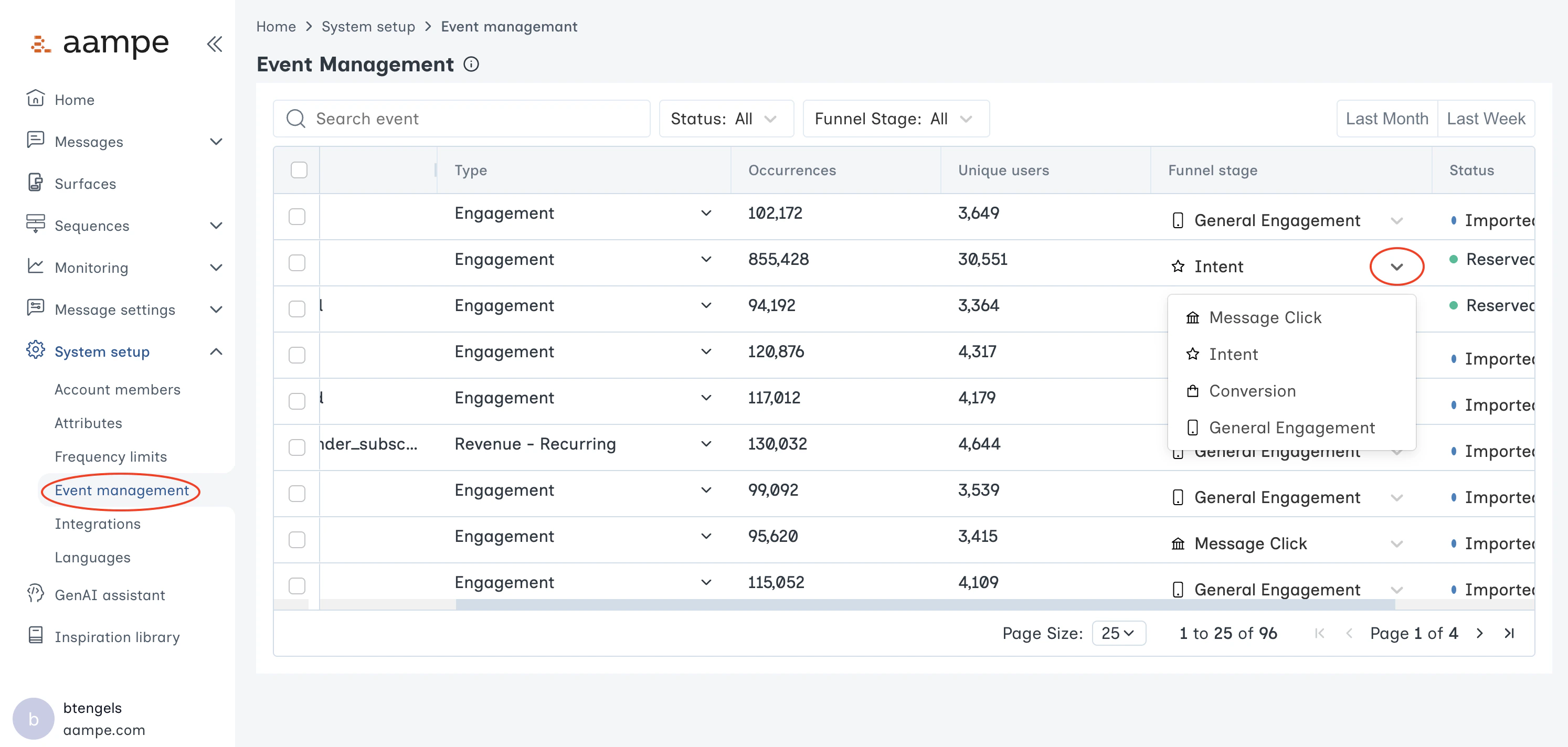
- After your data integration is complete, go to System setup > Event management in the left navigation.
- Review the list of all available events. Make sure nothing is missing and all events are properly flattened (if needed).
Step 2: Classify Funnel Events
Once imported, use the dropdown next to each event to designate the right event category. These categories allow Aampe to aggregate events more sensibly in any reporting.