

Quick Reference
Content API Authentication
Use the Surfaces API key when calling the Content API (e.g., Get Surface Content, Health).string
required
Your Surfaces API key for the Content API
https://content.api.aampe.com
Ingestion API Authentication
Use the Ingestion API key when sending events or property updates to Aampe.string
required
Bearer token with your Ingestion API key. Format:
Authorization: Bearer YOUR_INGESTION_API_KEYhttps://ingestion.{region}.api.aampe.com (e.g., us-east1, europe-west3, asia-southeast1)
Obtaining an API Key
To find your API keys, navigate to Integrations > API keys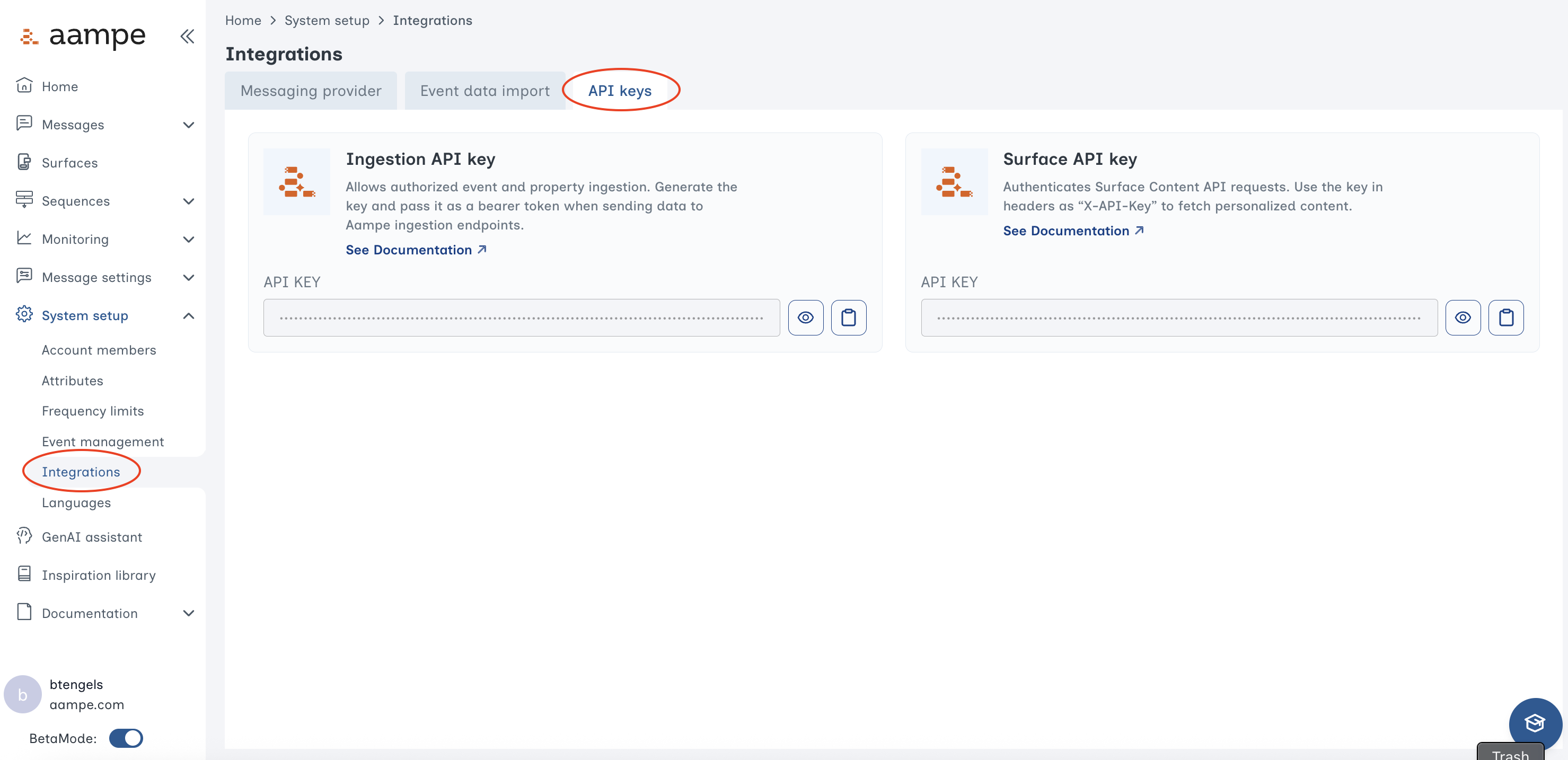
- Surfaces API key: For pulling personalized content from Aampe for Surfaces
- Ingestion API key: For sending data to Aampe via the Aampe Streaming API
Key Generation Steps
- Log into your Aampe Dashboard
- Navigate to System settings → Integrations → Aampe Endpoint
- Copy the API Key (hidden)
Configure API Playground
To test endpoints interactively:- Click the “Configure” button on any API endpoint page
- Enter your API key in the appropriate field:
- Content API endpoints: Use
X-API-Keyfield - Ingestion API endpoints: Use Bearer token field
- Content API endpoints: Use
- Your key will be saved locally in your browser for this session
- Try making requests directly from the documentation
Your API key is stored locally in your browser and never sent to our documentation servers. It’s only used for direct API calls to the Aampe API.
Security Best Practices
Next Steps
Test the Health Endpoint
Verify your Content API connection is working
Get Surface Content
Retrieve personalized content for users
Aampe Events Ingestion
Stream events to Aampe
Aampe Property Update
Update user properties