

Within Figma, select
Actions > Plugins & Widgets and find the Aampe Surface Creator.
After opening the Aampe Surface Creator, you’ll be prompted to sign in to your Aampe account. Sign in and follow the Surface Creator prompts.
- Select your Frame
- Choose which Frame elements you wish to include in your Surface
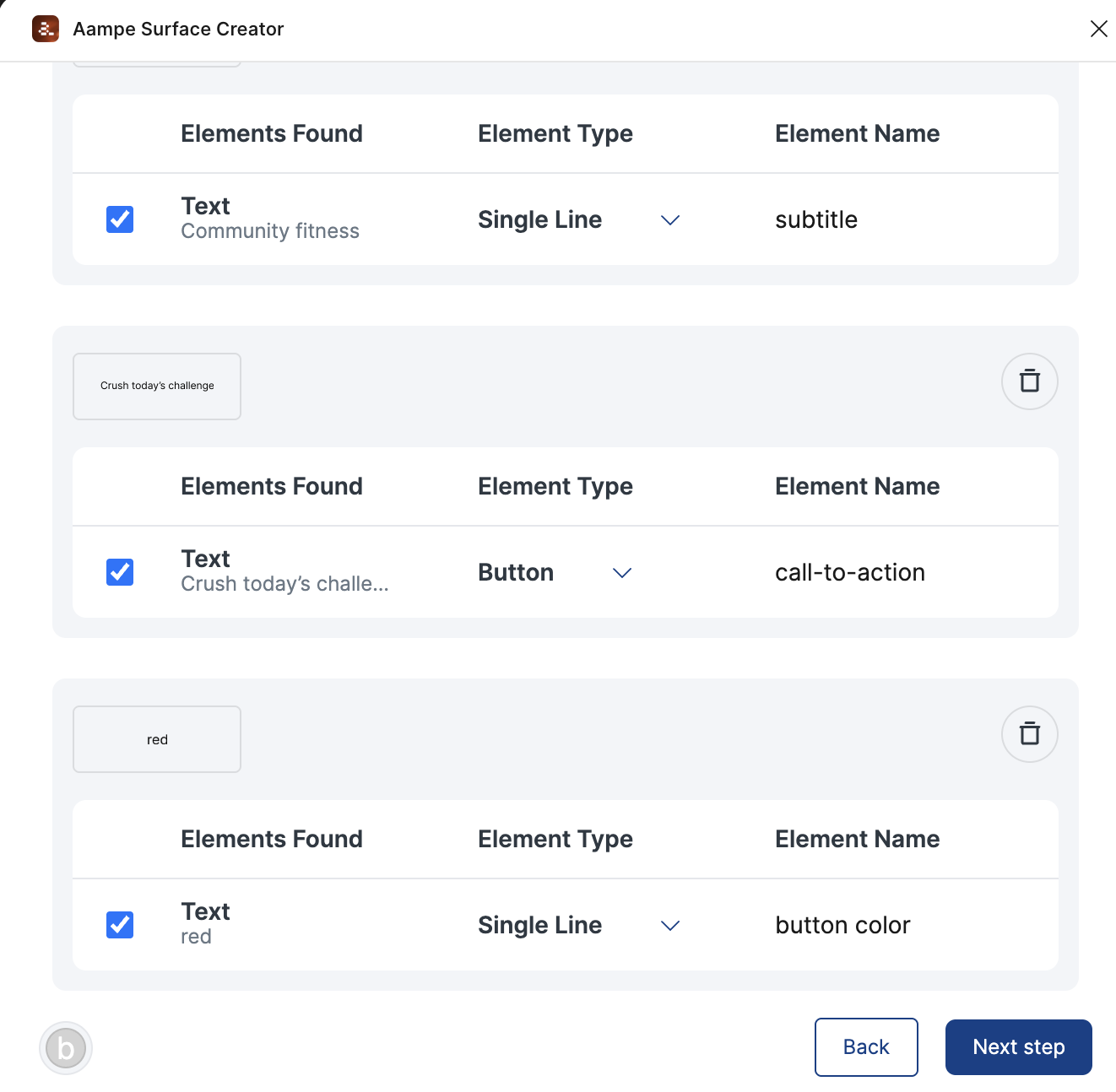
-
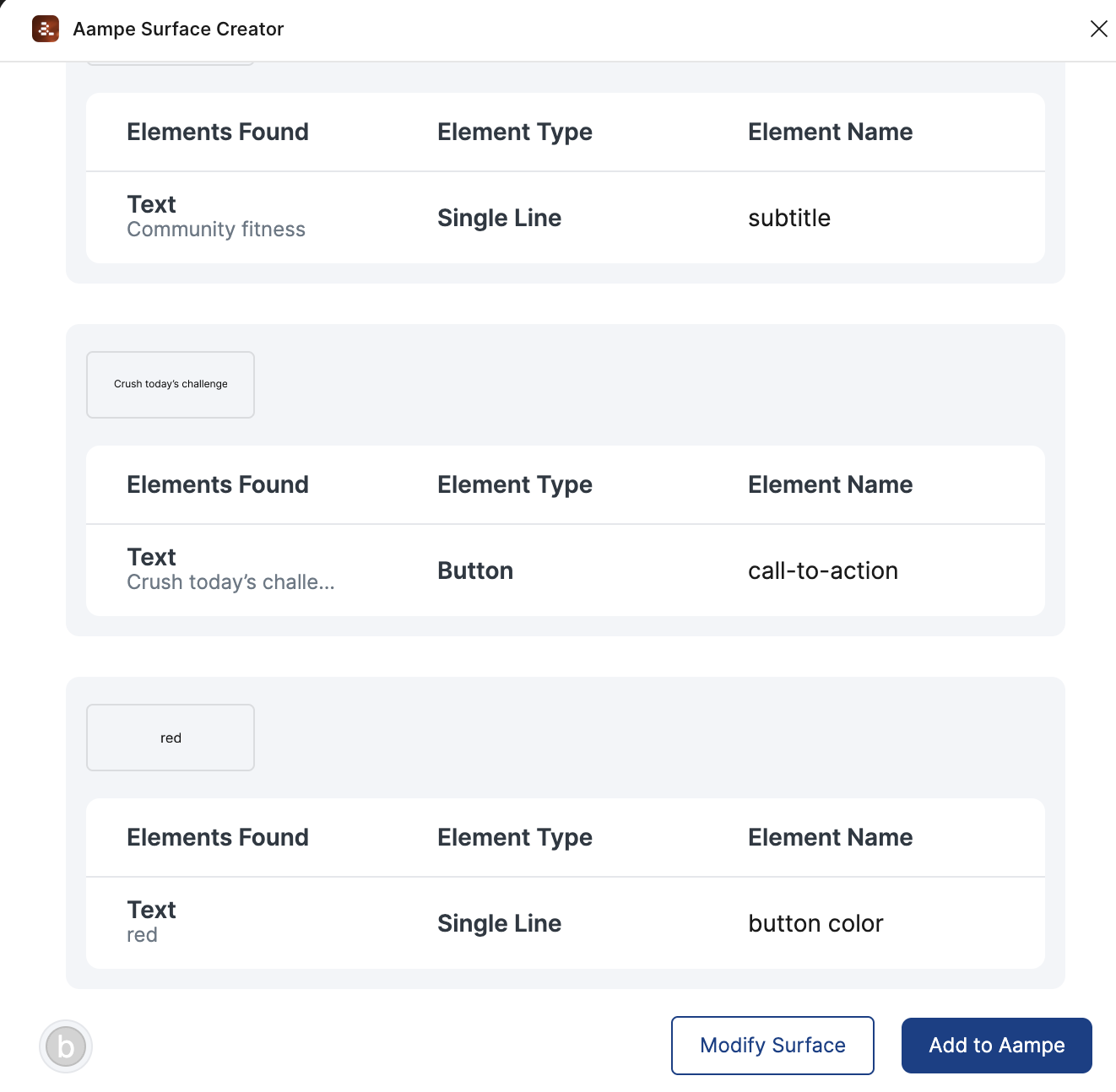
After selecting your components and assigning types and names, you can export the list to Aampe in a single click (Add to Aampe).
Aampe Surface Creator (Figma) FAQs
Can I see my Aampe content within Figma?
Can I see my Aampe content within Figma?
Can we use the Aampe Surface Creator plugin for email templates?
Can we use the Aampe Surface Creator plugin for email templates?
At the moment, the Aampe Surface Creator only creates templates for surfaces.
Do I need a paid tier of Figma to use the Aampe Surface Creator?
Do I need a paid tier of Figma to use the Aampe Surface Creator?
No. You can use the Aampe Surface Creator on Figma’s free tier.