> ## Documentation Index
> Fetch the complete documentation index at: https://kb.aampe.com/llms.txt
> Use this file to discover all available pages before exploring further.
# Auth0 SAML SSO
> Here we will show you how to set up your own custom SAML application for Auth0 SAML
## Create application
1. From your Auth0 dashboard, click **Applications** from the left navigation menu.
2. If your application is already created, choose it from the list and move to the section [Configure Application](#configure-application)
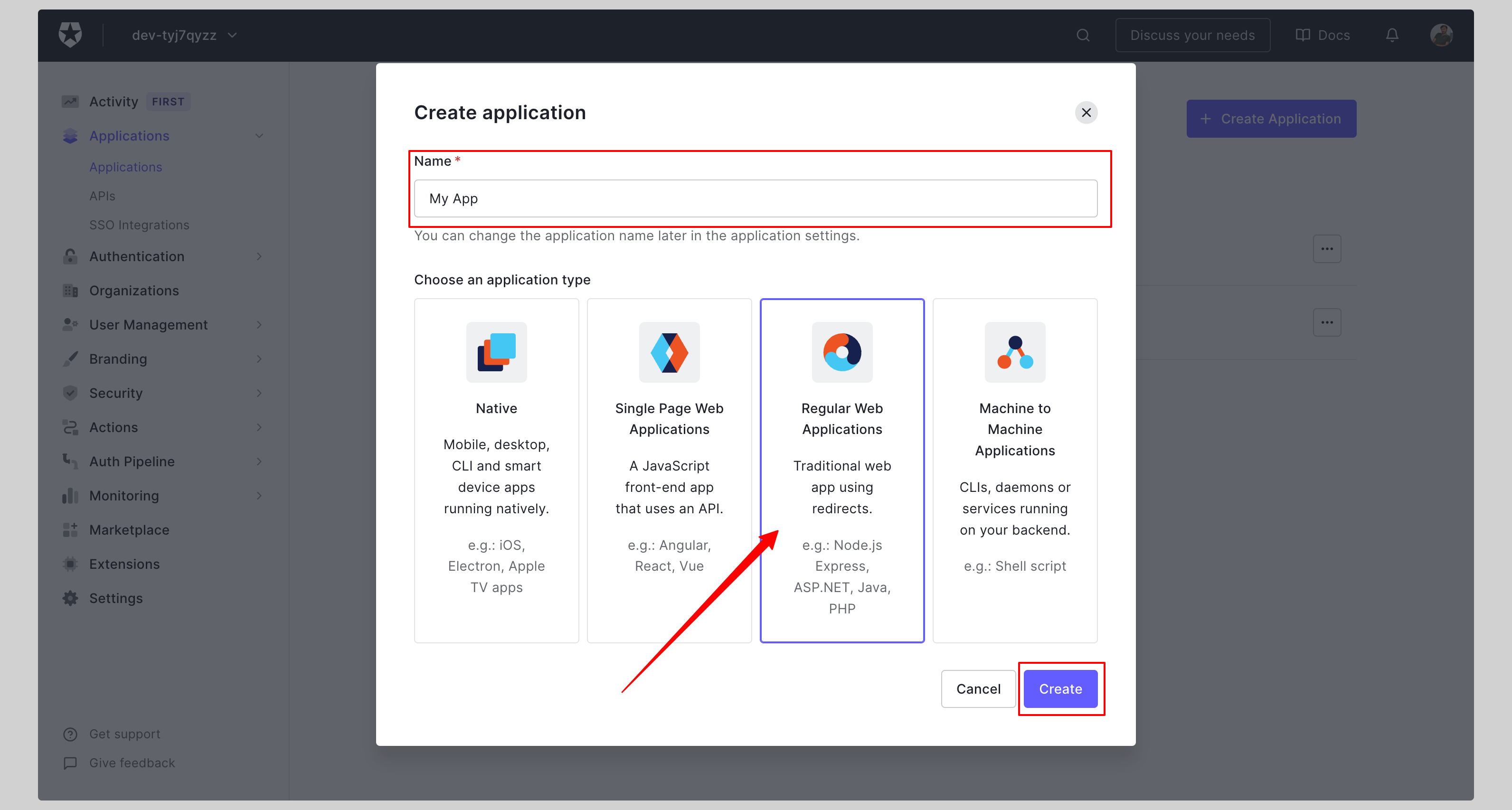
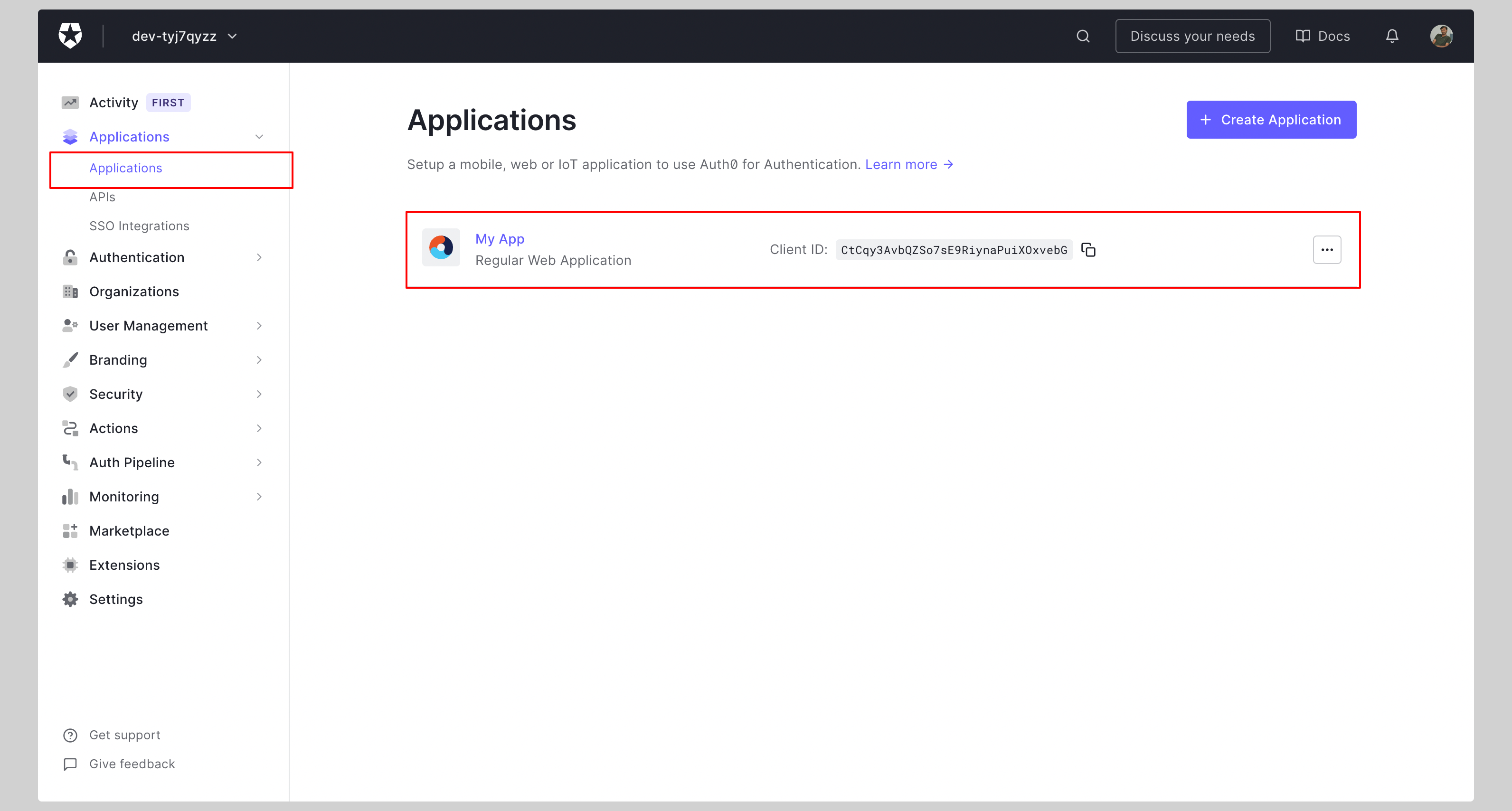 3. If you haven't created a SAML application, click the **Create Application** button to create a new application.
4. Give your application a **Name** and click **Create**.
3. If you haven't created a SAML application, click the **Create Application** button to create a new application.
4. Give your application a **Name** and click **Create**.
 ## Configure application
1. Click the tab **Addons** and enable **SAML2 WEB APP** add-on.
## Configure application
1. Click the tab **Addons** and enable **SAML2 WEB APP** add-on.
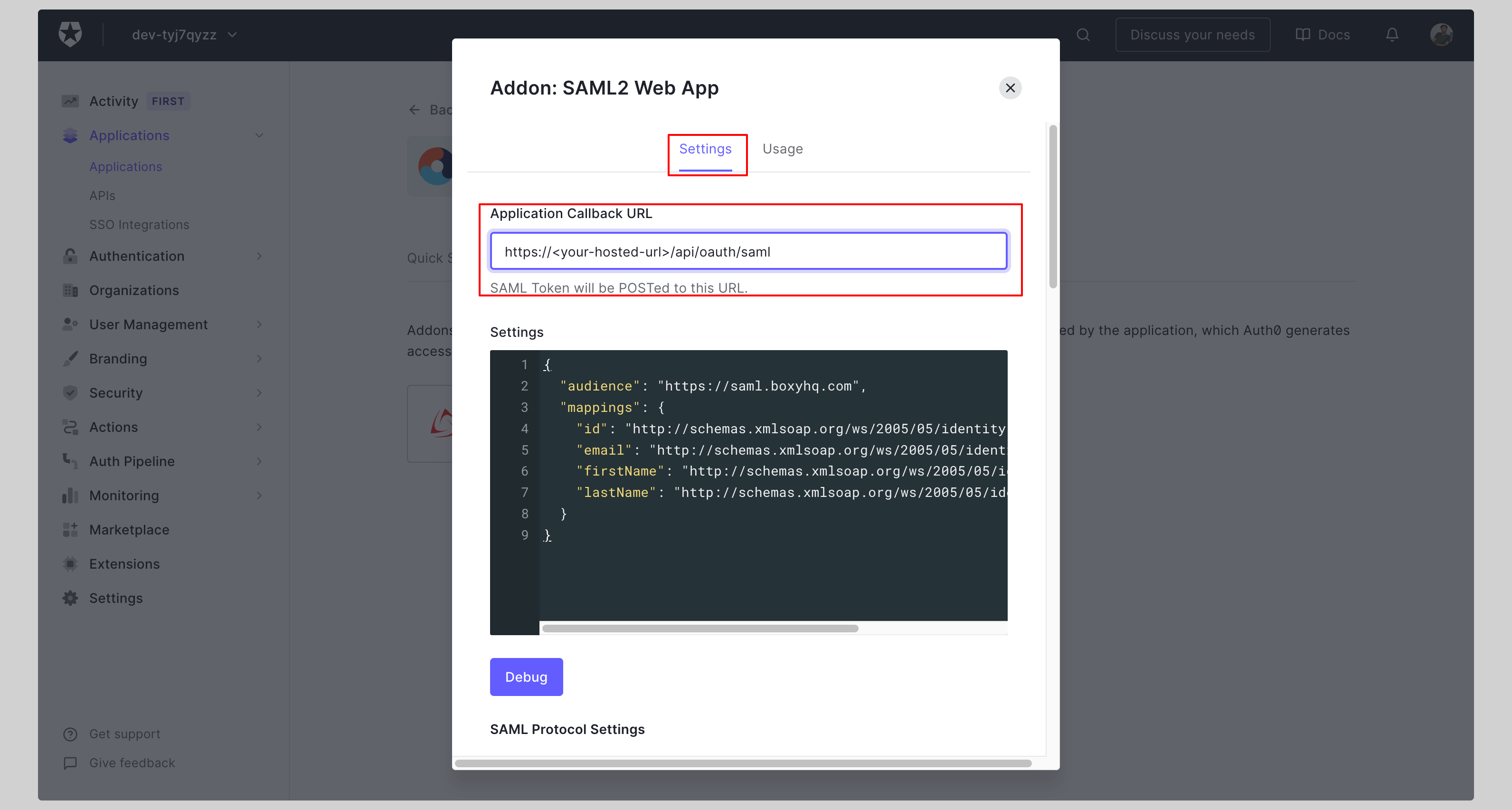
 2. Enter your **Application Callback URL** on the next screen and click **Enable**.
Replace the values with the ones you have received from Aampe.
2. Enter your **Application Callback URL** on the next screen and click **Enable**.
Replace the values with the ones you have received from Aampe.
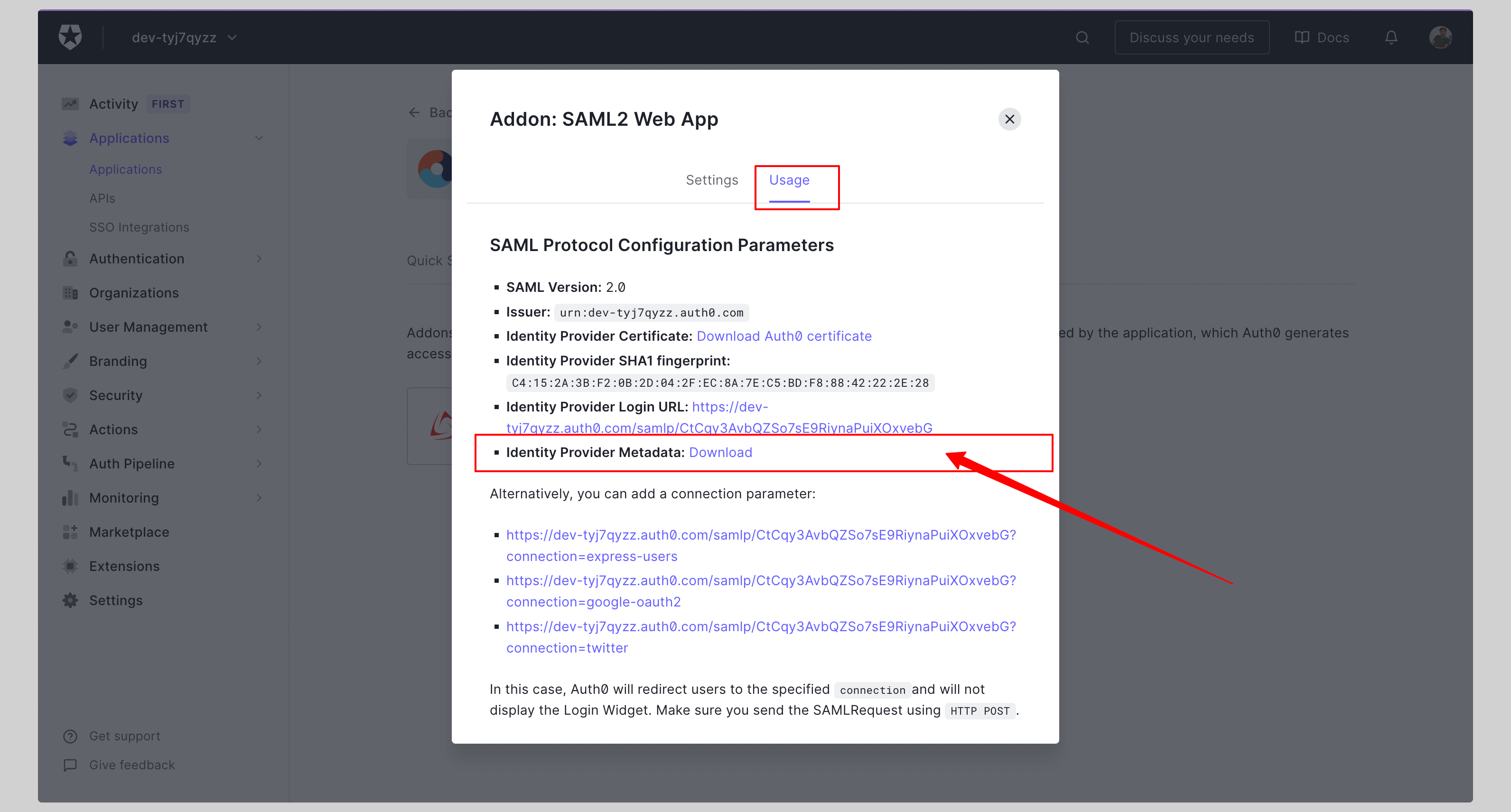
 3. Click the tab **Usage** and download the **Identity Provider Metadata**.
 ## Attribute mapping
No additional attribute mapping is required for Auth0 SAML to work with Aampe.
## Next steps
You've successfully configured your custom SAML application for Auth0 SAML. At this stage, you can assign users to your application and start using it.
## Attribute mapping
No additional attribute mapping is required for Auth0 SAML to work with Aampe.
## Next steps
You've successfully configured your custom SAML application for Auth0 SAML. At this stage, you can assign users to your application and start using it.