> ## Documentation Index
> Fetch the complete documentation index at: https://kb.aampe.com/llms.txt
> Use this file to discover all available pages before exploring further.
# Twilio
> Estimated setup time: 15 minutes
## Requirements
* Twilio Account SID
* Twilio Auth Token
## Get Your Twilio Account SID & Auth Token
1. Navigate to [https://www.twilio.com/console/projects/summary](https://www.twilio.com/console/projects/summary)
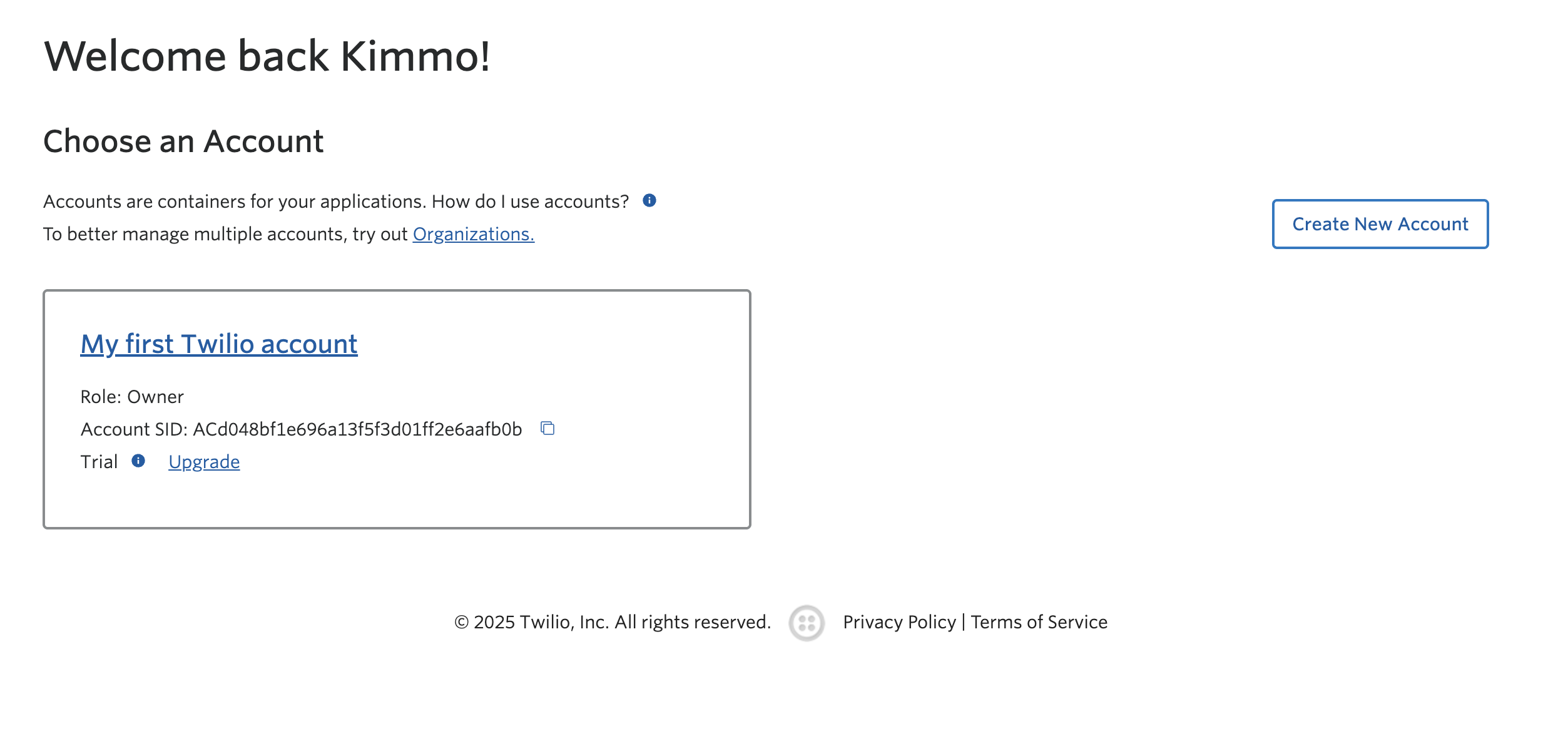
2. Click the account your app is connected to.
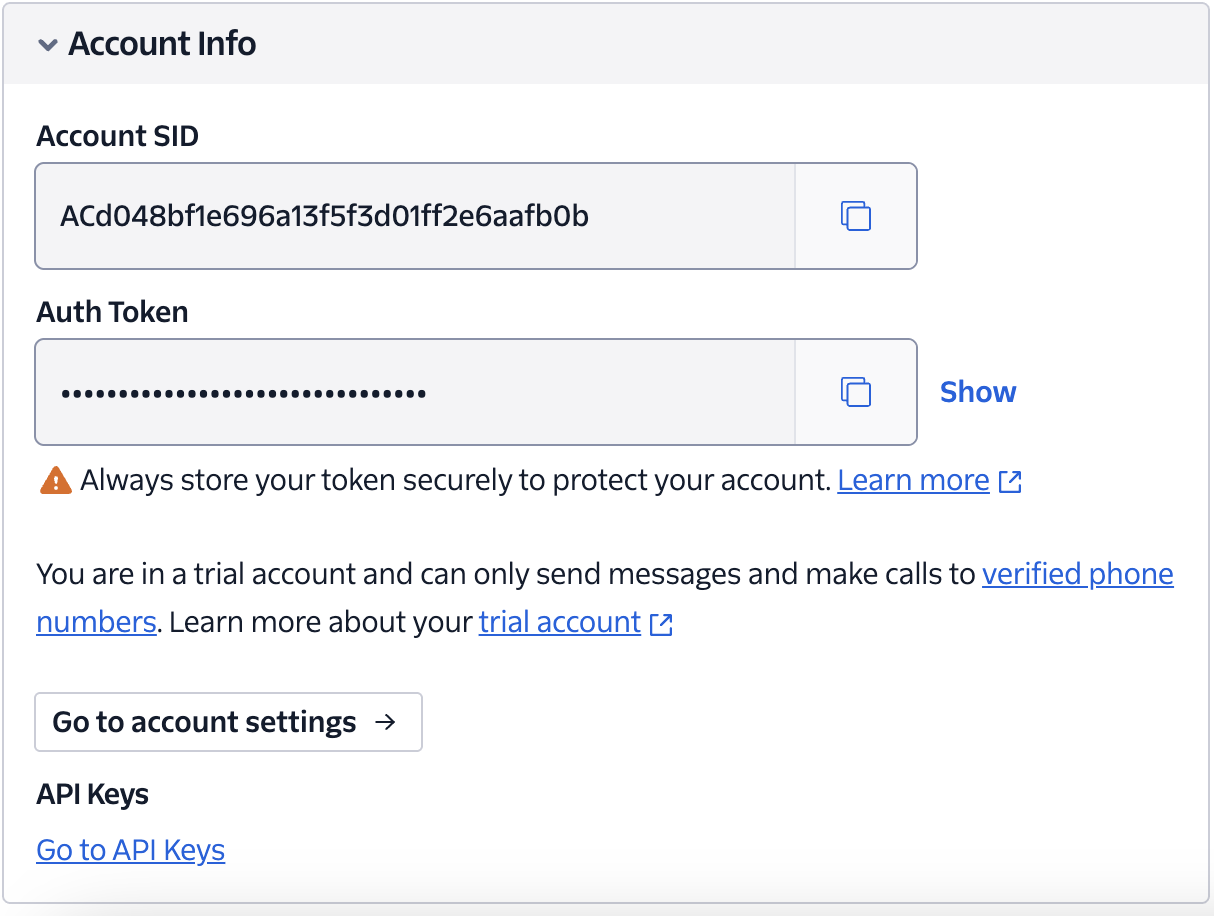
 3. On the account page scroll down to **Account Info** section to get your account SID and Authentication Token
 ## Add Twilio Account SID & Auth Token to Aampe
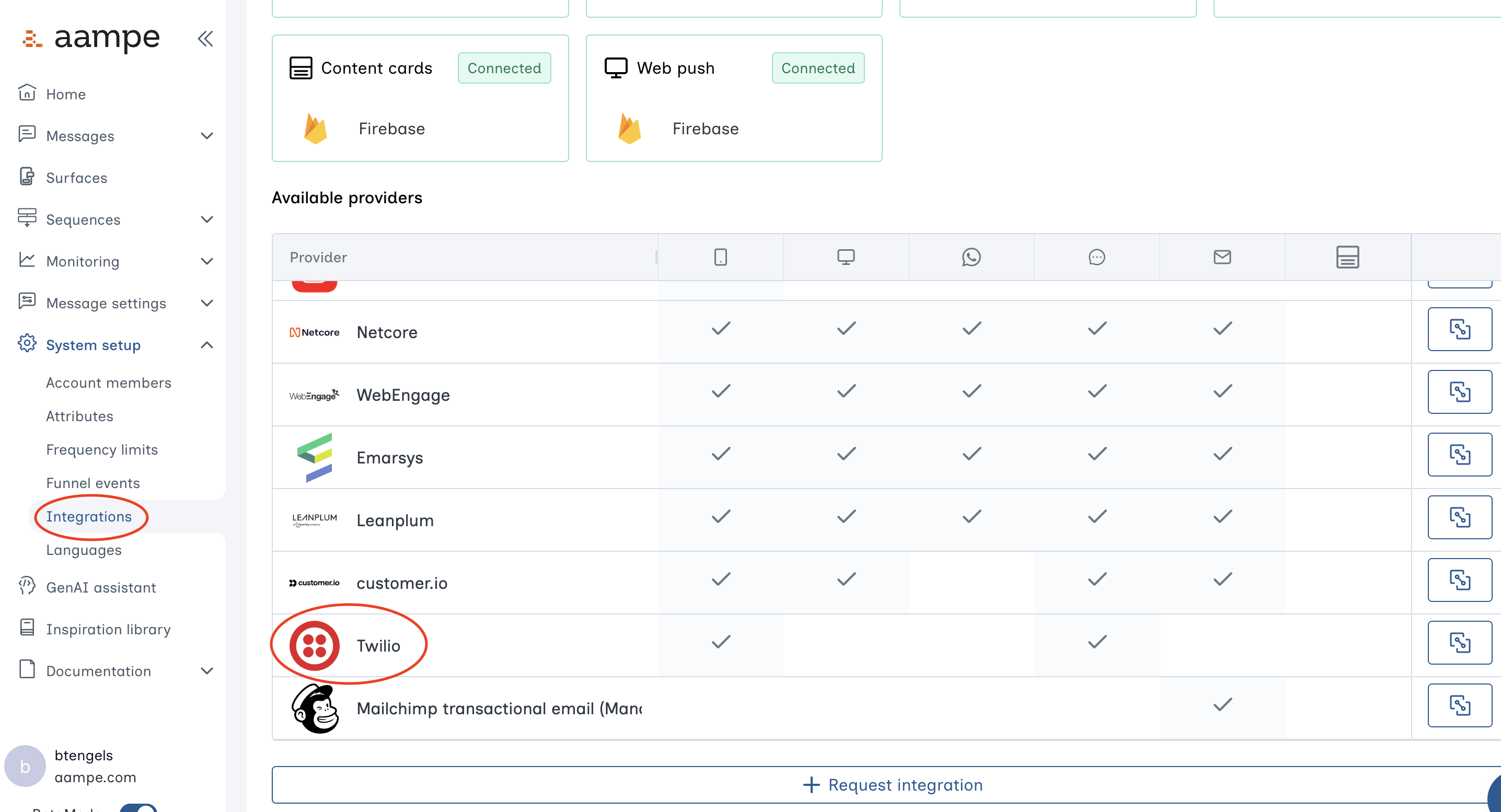
1. Log into the Aampe Composer. Navigate to **Integrations** and find the **Message provider** menu. Click on **Twilio**.
## Add Twilio Account SID & Auth Token to Aampe
1. Log into the Aampe Composer. Navigate to **Integrations** and find the **Message provider** menu. Click on **Twilio**.
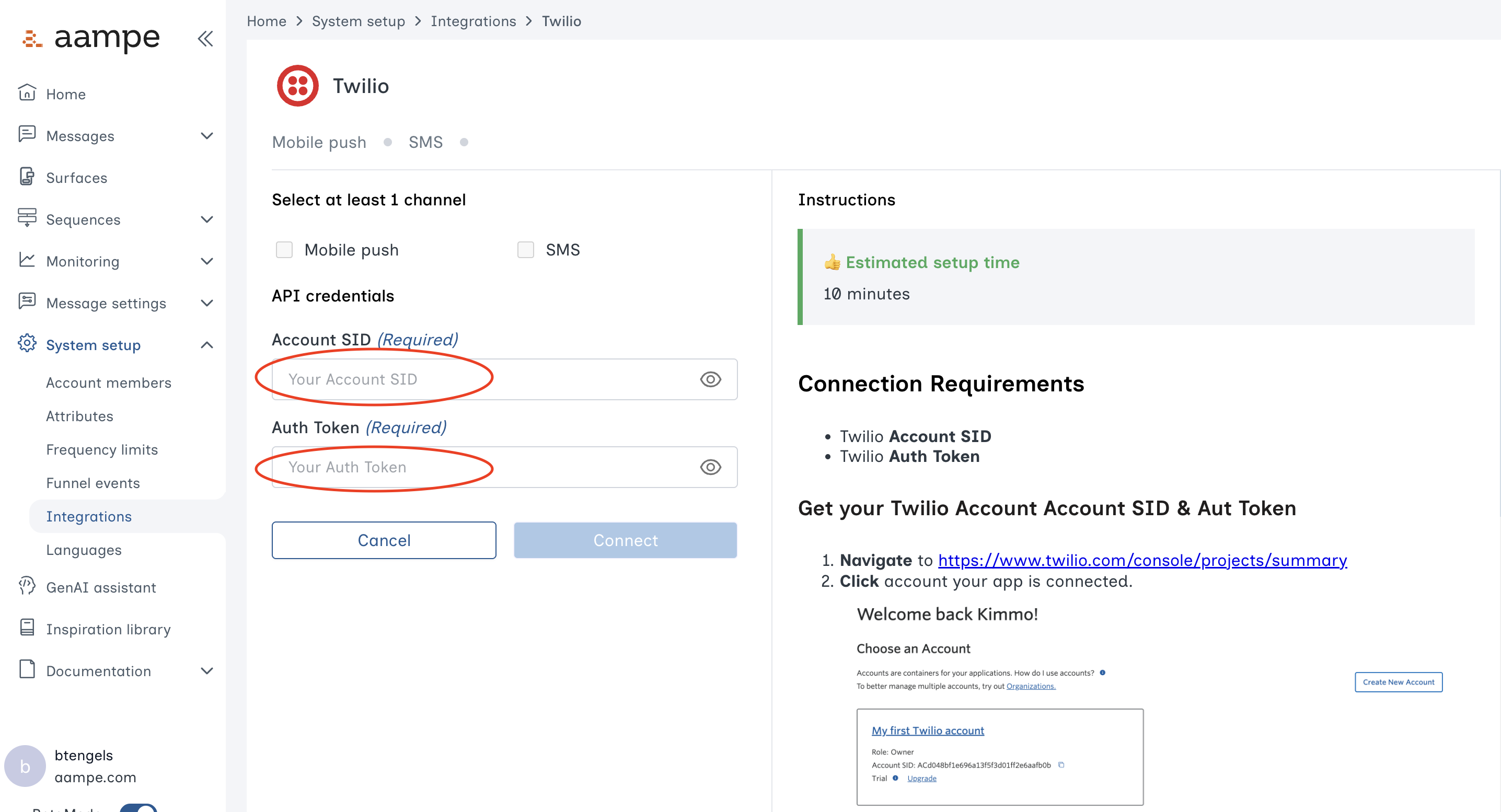
 2. Insert the Twilio keys into the relevant fields.
 Congrats on setting up Twilio for message delivery with Aampe.