> ## Documentation Index
> Fetch the complete documentation index at: https://kb.aampe.com/llms.txt
> Use this file to discover all available pages before exploring further.
# Leanplum
> Estimated setup time: 15 minutes
## Requirements
* Your App ID
* Your Production API Key
* (Optional) Your Data Export API Key
Aampe will call the [Leanplum API](https://docs.leanplum.com/reference/post_api-action-sendmessage) on your behalf.
## Get Your App ID and API Keys
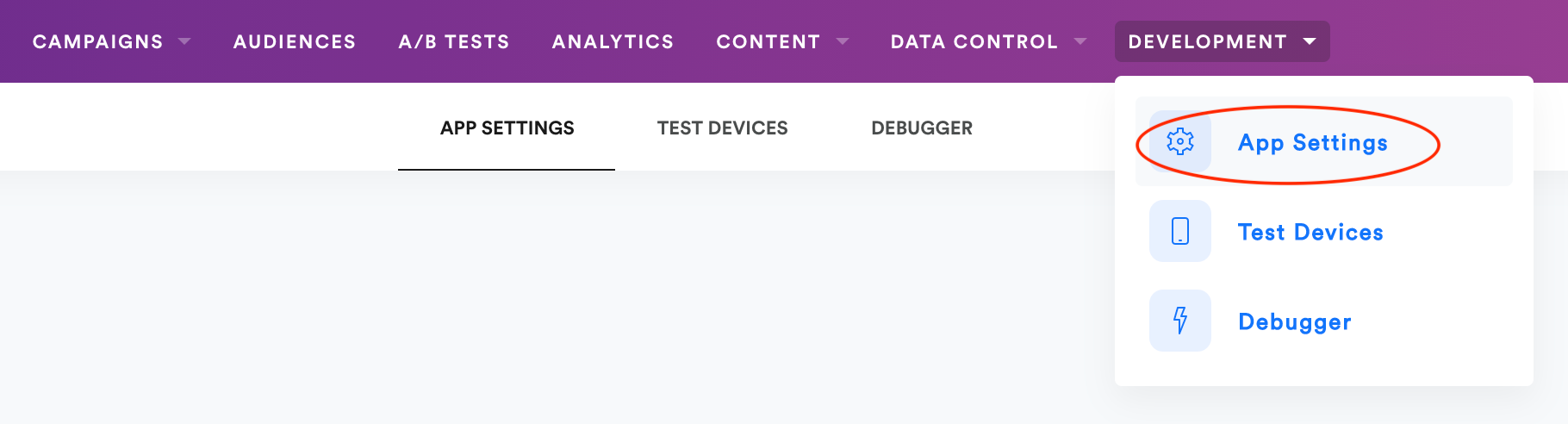
1. Once logged in to Leanplum, navigate to **Development > App Settings**
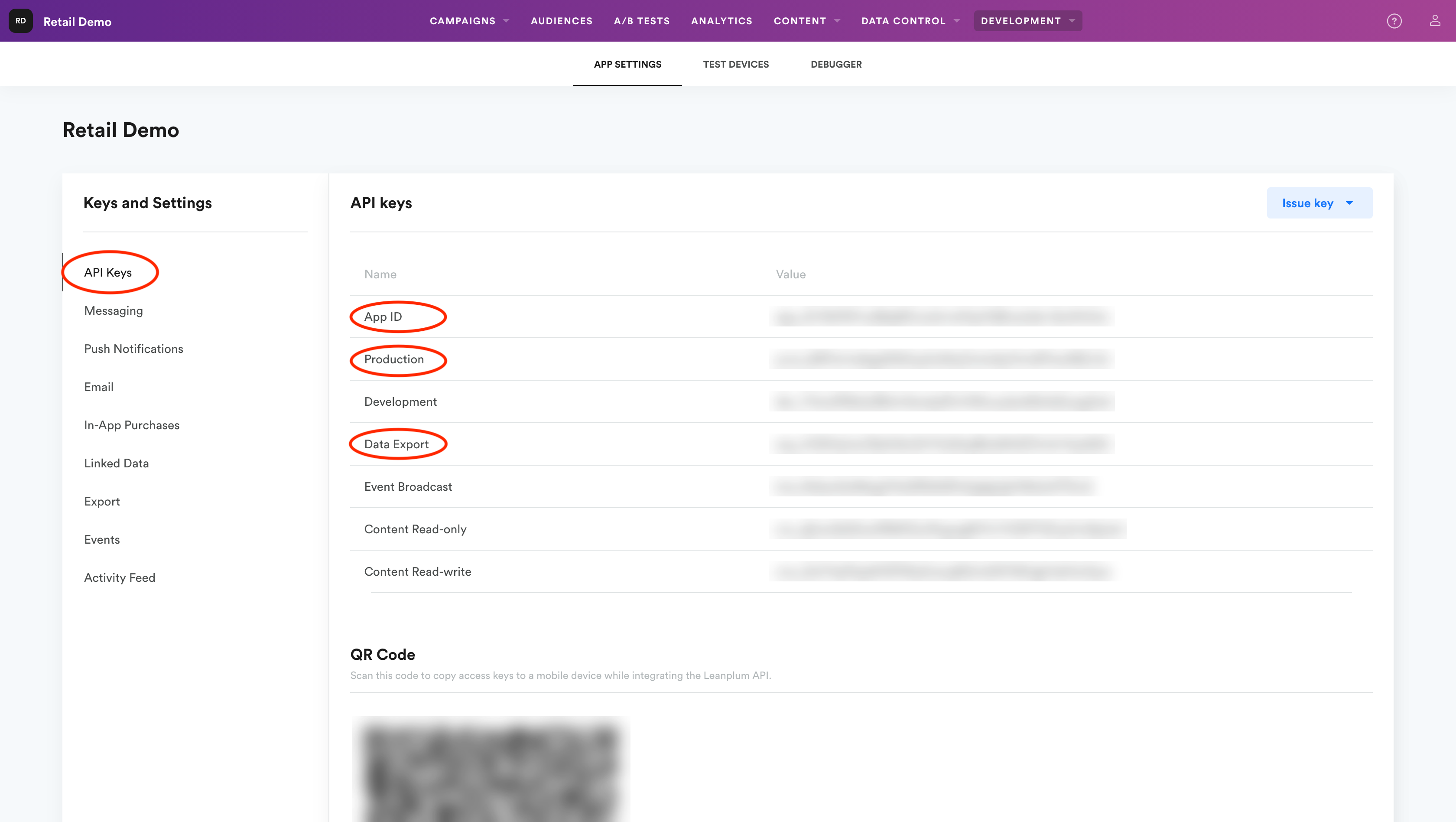
 2. Select **API Keys** from the left navigation bar.
3. Copy the App ID, Production and Data Export keys.
2. Select **API Keys** from the left navigation bar.
3. Copy the App ID, Production and Data Export keys.
 ## Configure Your Leanplum Push Integration on Aampe
1. Go to [https://compose.aampe.com](https://compose.aampe.com) and login using your Aampe credentials
2. Navigate to **System setup > Integrations**
3. The **Messaging Provider** tab will open
## Configure Your Leanplum Push Integration on Aampe
1. Go to [https://compose.aampe.com](https://compose.aampe.com) and login using your Aampe credentials
2. Navigate to **System setup > Integrations**
3. The **Messaging Provider** tab will open
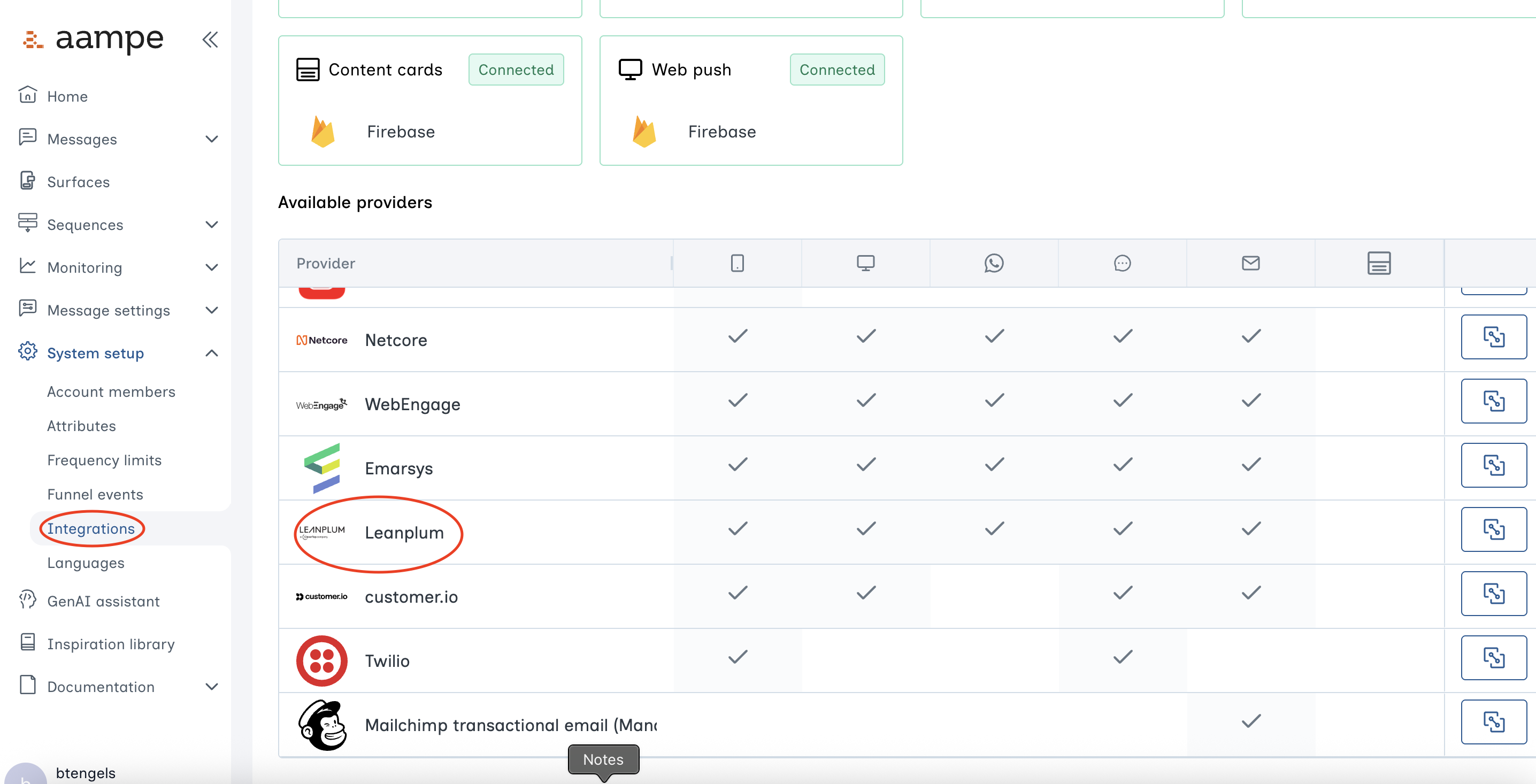 4. Toggle the **Activate** knob on the Leanplum row
5. Input the App ID, Production and Data Export keys into their respective textboxes
4. Toggle the **Activate** knob on the Leanplum row
5. Input the App ID, Production and Data Export keys into their respective textboxes
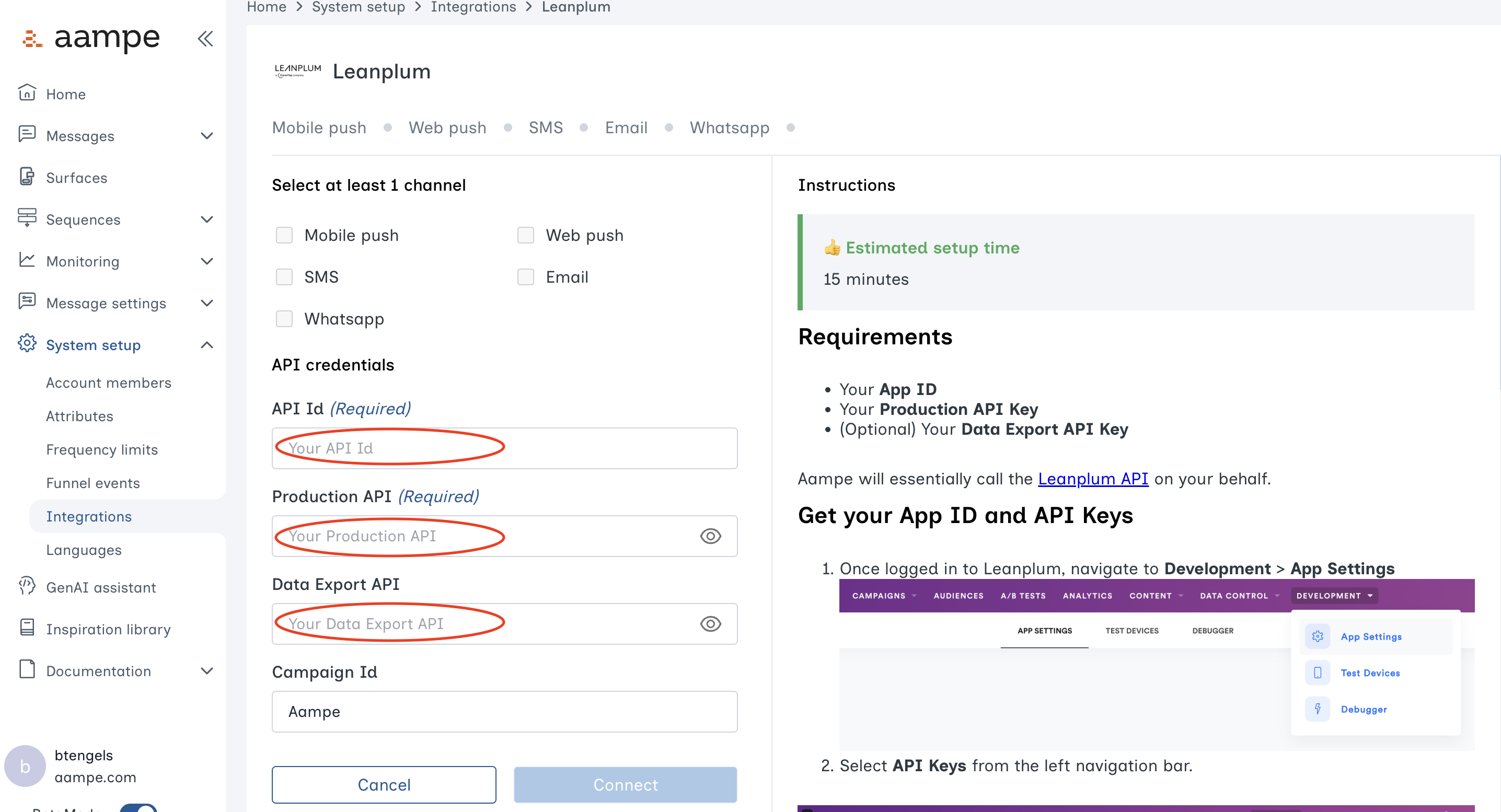 6. Click on **Connect**
🎉 **You're all set!**
***
6. Click on **Connect**
🎉 **You're all set!**
***