> ## Documentation Index
> Fetch the complete documentation index at: https://kb.aampe.com/llms.txt
> Use this file to discover all available pages before exploring further.
# Airship
> Estimated setup time: 15 minutes
## Requirements
* Your Airship project's App Key
* An API Access Token
Aampe will call the [Airship API](https://docs.airship.com/api/ua/#operation-api-push-post) on your behalf.
## Generating an API Token
1. Once logged in to Airship, select the project that you are integrating with Aampe.
2. Select **Settings** from the navigation bar at the top of the screen.
 3. Scroll down to **Project configuration** until you find the **Tokens** section.
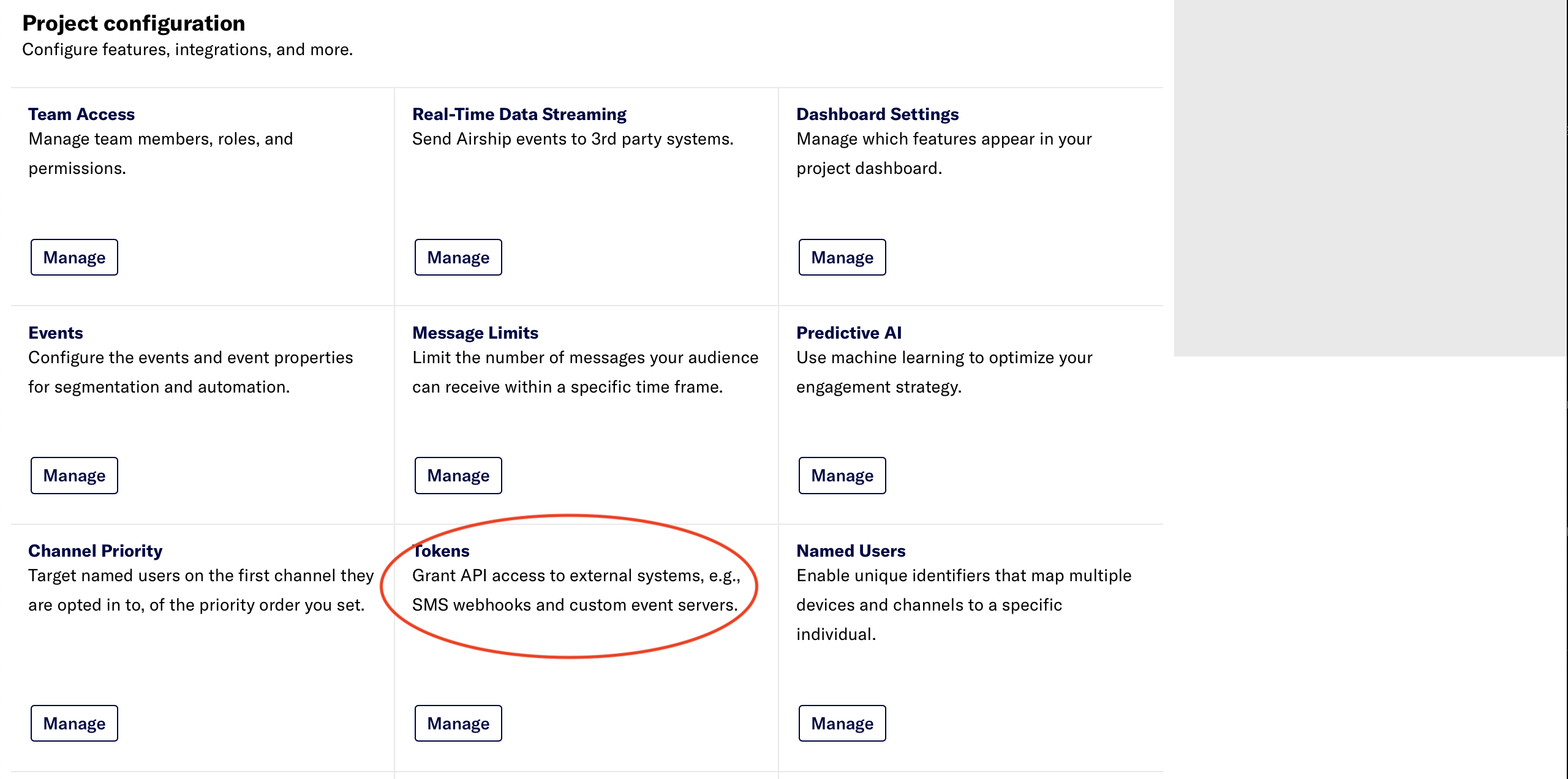 4. Click on the **Manage** button.
5. In the Tokens screen that opens, click on **Create token** at the top right corner.
4. Click on the **Manage** button.
5. In the Tokens screen that opens, click on **Create token** at the top right corner.
 6. Choose a name for this token. For example: `aampe-push-token`
7. Select **All Access** under Role.
6. Choose a name for this token. For example: `aampe-push-token`
7. Select **All Access** under Role.
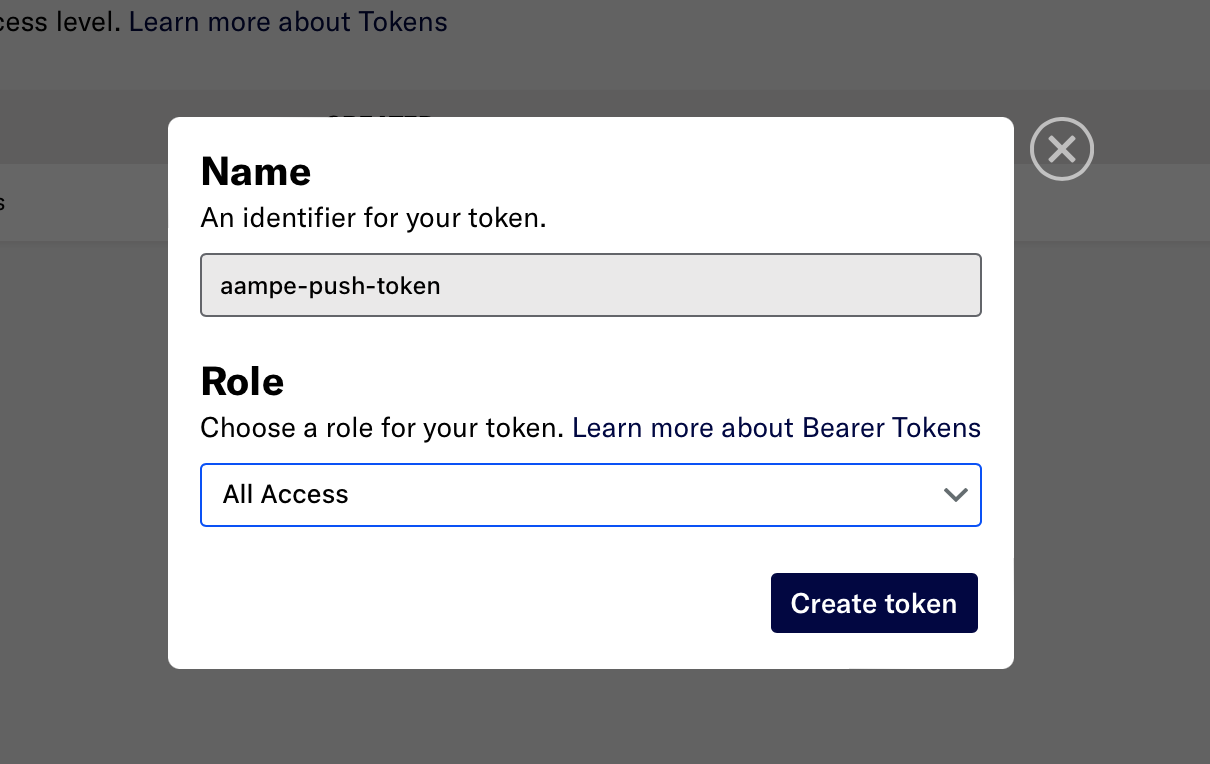 8. Click on **Create token**.
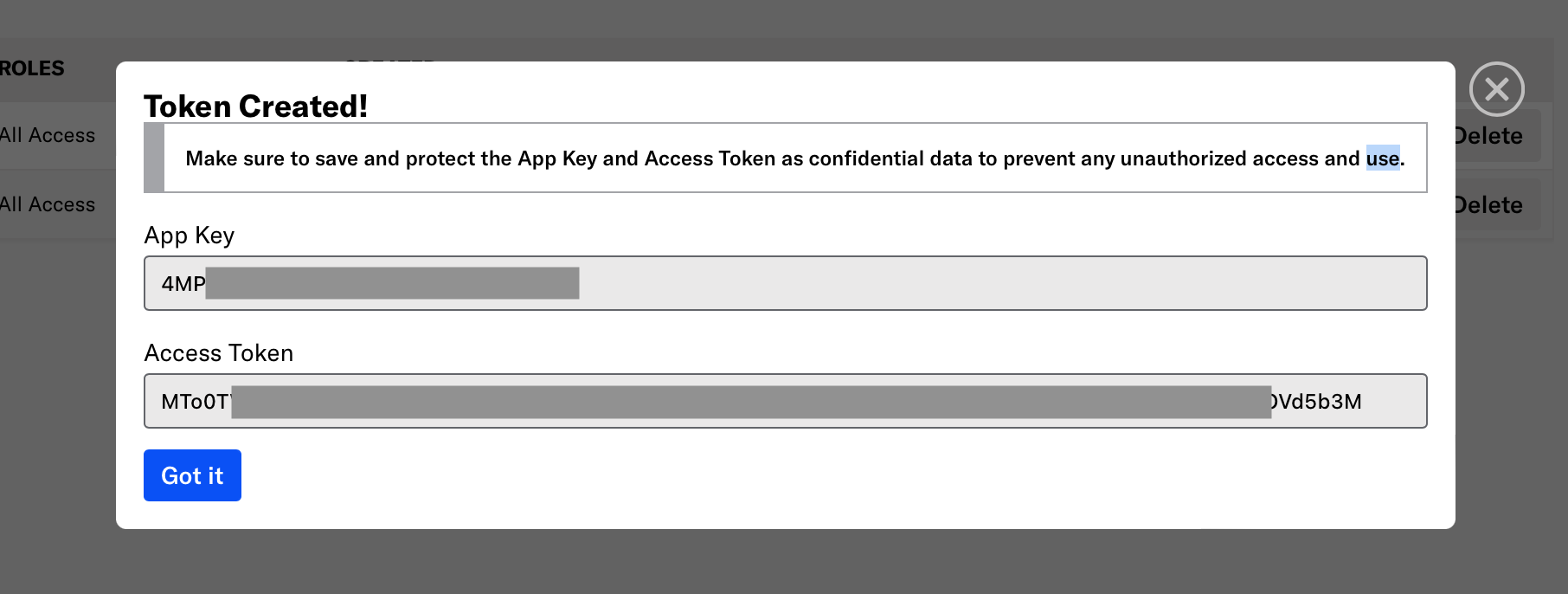
9. Copy both the App Key and Access Token.
8. Click on **Create token**.
9. Copy both the App Key and Access Token.
 ## Configure Your Airship Push Integration on Aampe
1. Go to [https://compose.aampe.com](https://compose.aampe.com) and login using your Aampe credentials
2. Navigate to **Configure > Push Provider**
3. Toggle the Airship integration
4. Fill in the App Key and Access Token where indicated
5. Press **Activate**
Congrats! Aampe is now all set up to send push notifications via Airship!
***
## Configure Your Airship Push Integration on Aampe
1. Go to [https://compose.aampe.com](https://compose.aampe.com) and login using your Aampe credentials
2. Navigate to **Configure > Push Provider**
3. Toggle the Airship integration
4. Fill in the App Key and Access Token where indicated
5. Press **Activate**
Congrats! Aampe is now all set up to send push notifications via Airship!
***