> ## Documentation Index
> Fetch the complete documentation index at: https://kb.aampe.com/llms.txt
> Use this file to discover all available pages before exploring further.
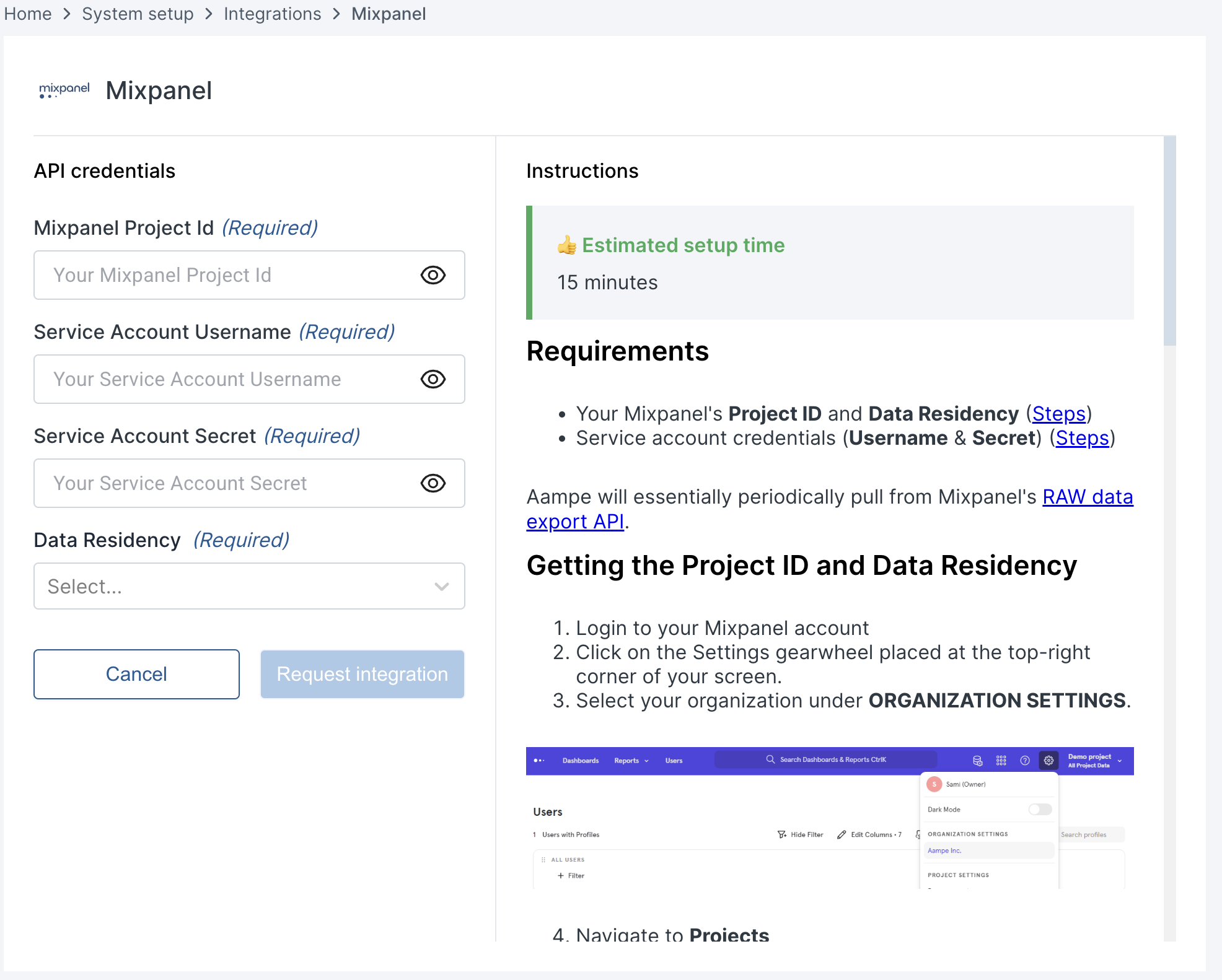
# Mixpanel
> Estimated setup time: 15 minutes
## Requirements
* Your Mixpanel's Project ID and Data Residency
* Service account credentials (Username & Secret)
Aampe will periodically pull from Mixpanel's [RAW data export API](https://developer.mixpanel.com/reference/raw-data-export-api).
## Getting the Project ID and Data Residency
1. Login to your Mixpanel account
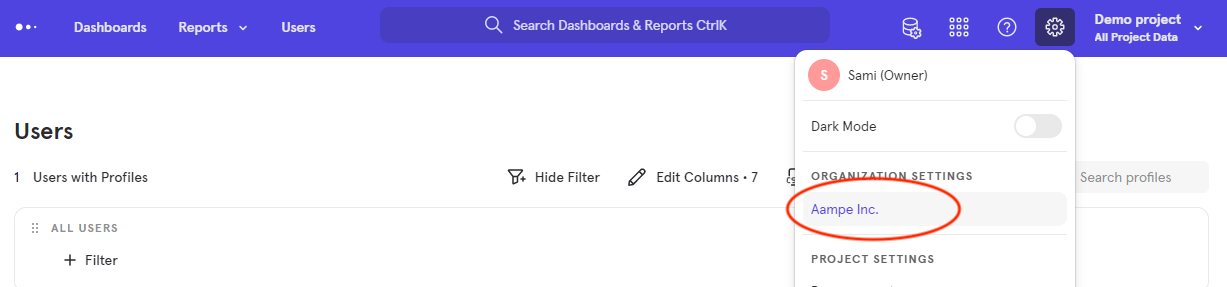
2. Click on the **Settings** gearwheel placed at the top-right corner of your screen.
3. Select your organization under **ORGANIZATION SETTINGS**.
 4. Navigate to **Projects**
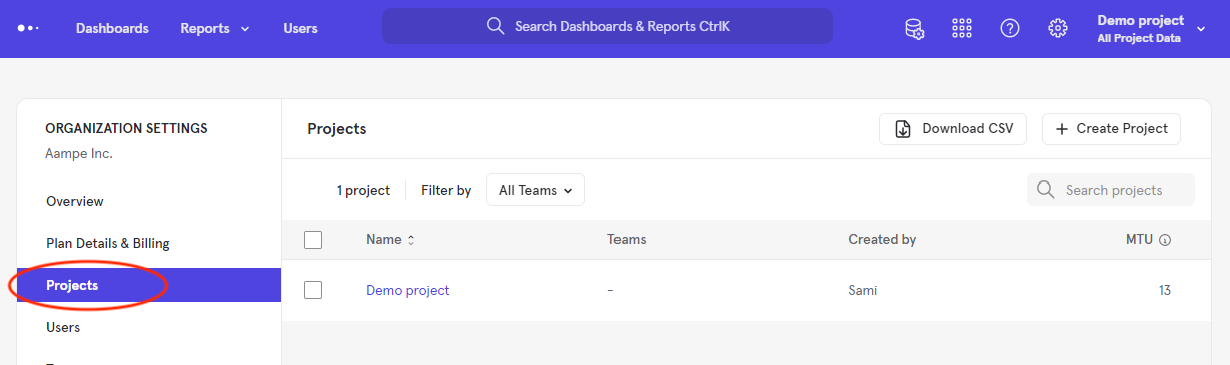 5. Choose the project with the data you wish Aampe to ingest.
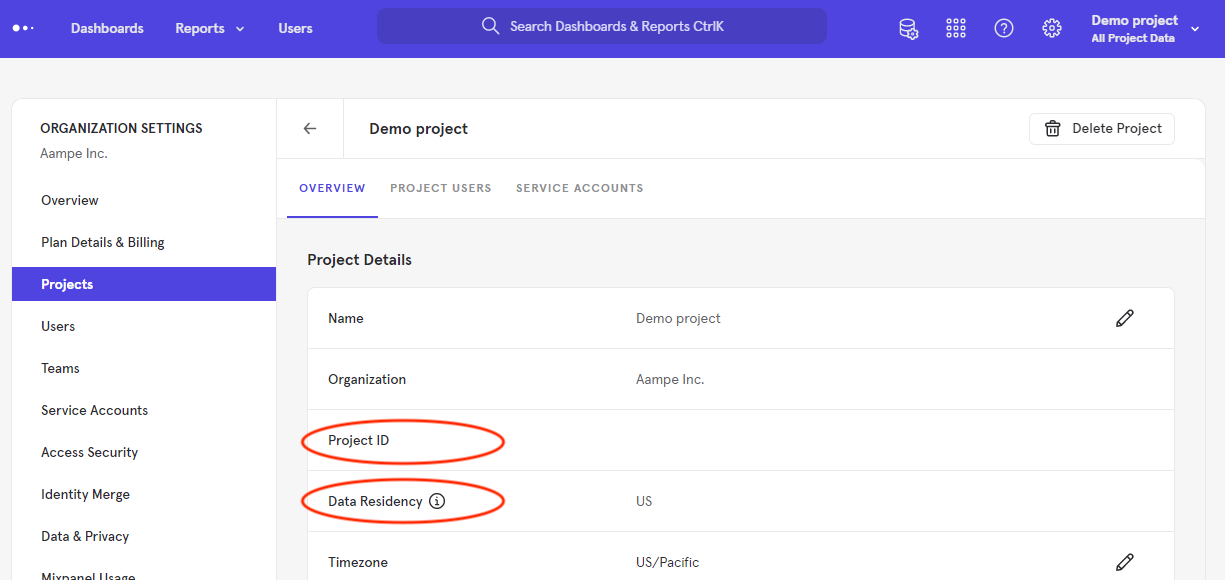
6. You will find your **Project ID** and **Data Residency** in the table.
5. Choose the project with the data you wish Aampe to ingest.
6. You will find your **Project ID** and **Data Residency** in the table.
 ## Creating a Service Account
1. Log into your Mixpanel account
2. Click on the **Settings** gearwheel placed at the top-right corner of your screen.
3. Select your organization under **ORGANIZATION SETTINGS**
## Creating a Service Account
1. Log into your Mixpanel account
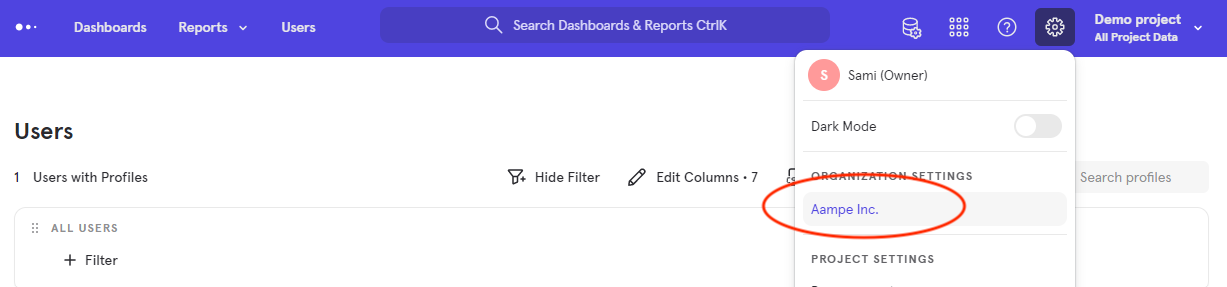
2. Click on the **Settings** gearwheel placed at the top-right corner of your screen.
3. Select your organization under **ORGANIZATION SETTINGS**
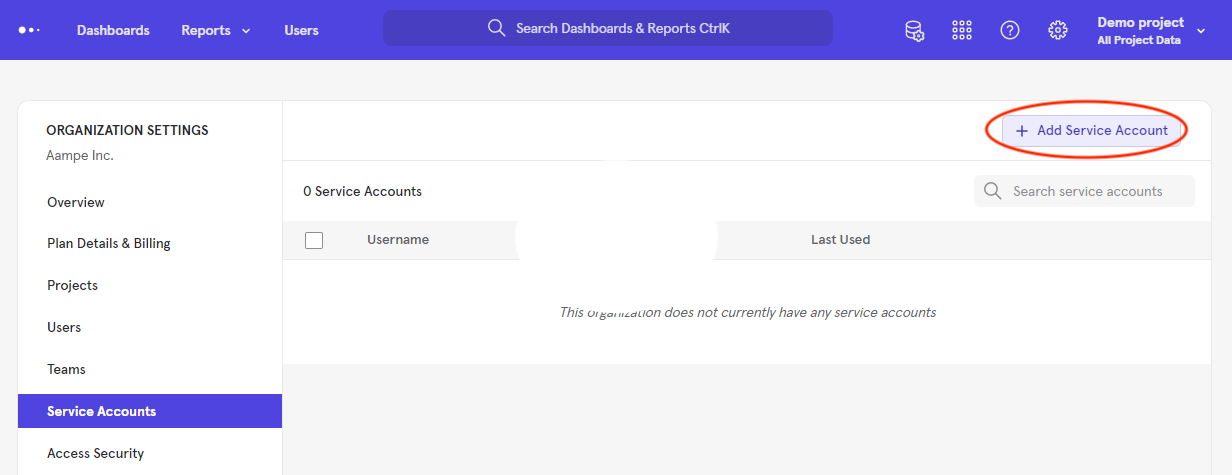
 4. Navigate to **Service Accounts**
5. Click on **+ Add Service Account** at the top-right corner.
4. Navigate to **Service Accounts**
5. Click on **+ Add Service Account** at the top-right corner.
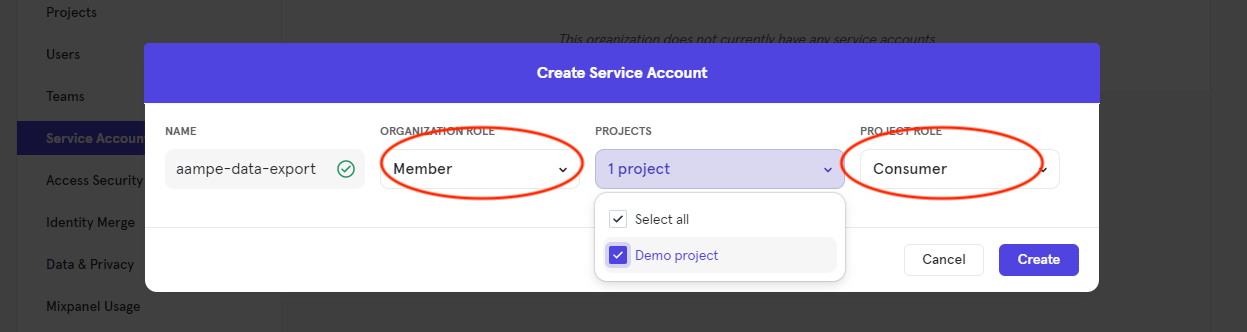
 6. Choose a **NAME** for your service account. For example: `aampe-data-export`
7. Select the **PROJECT(S)** with the data you wish Aampe to ingest.
8. Keep the **ORGANIZATION ROLE** as Member and **PROJECT ROLE** as Consumer.
6. Choose a **NAME** for your service account. For example: `aampe-data-export`
7. Select the **PROJECT(S)** with the data you wish Aampe to ingest.
8. Keep the **ORGANIZATION ROLE** as Member and **PROJECT ROLE** as Consumer.
 9. Click on **Create**
10. The service account Username and Secret will appear.
9. Click on **Create**
10. The service account Username and Secret will appear.
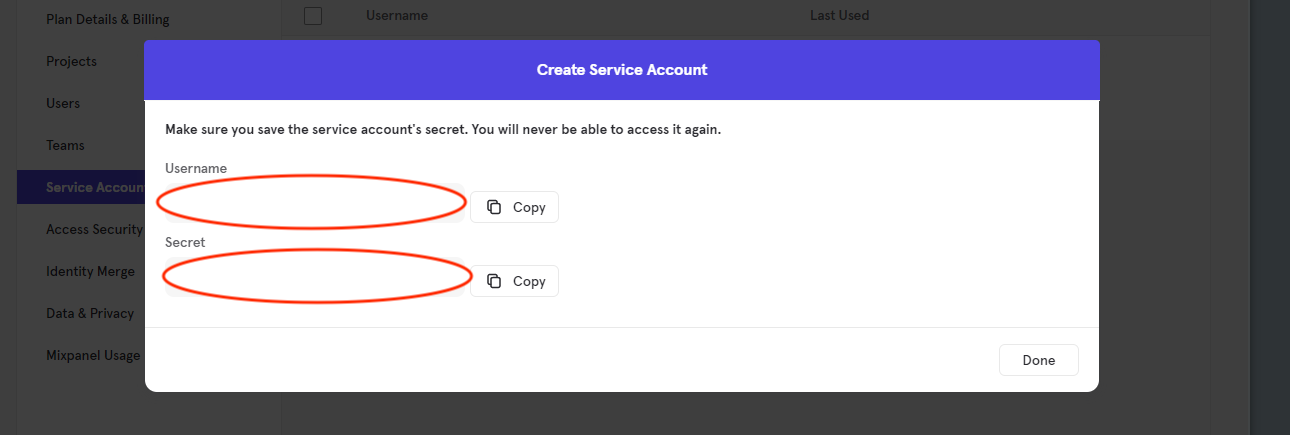 11. Store the username and secret and then we will use these to query the Mixpanel API.
12. Navigate to **System Settings > Integrations > Data Import**
11. Store the username and secret and then we will use these to query the Mixpanel API.
12. Navigate to **System Settings > Integrations > Data Import**
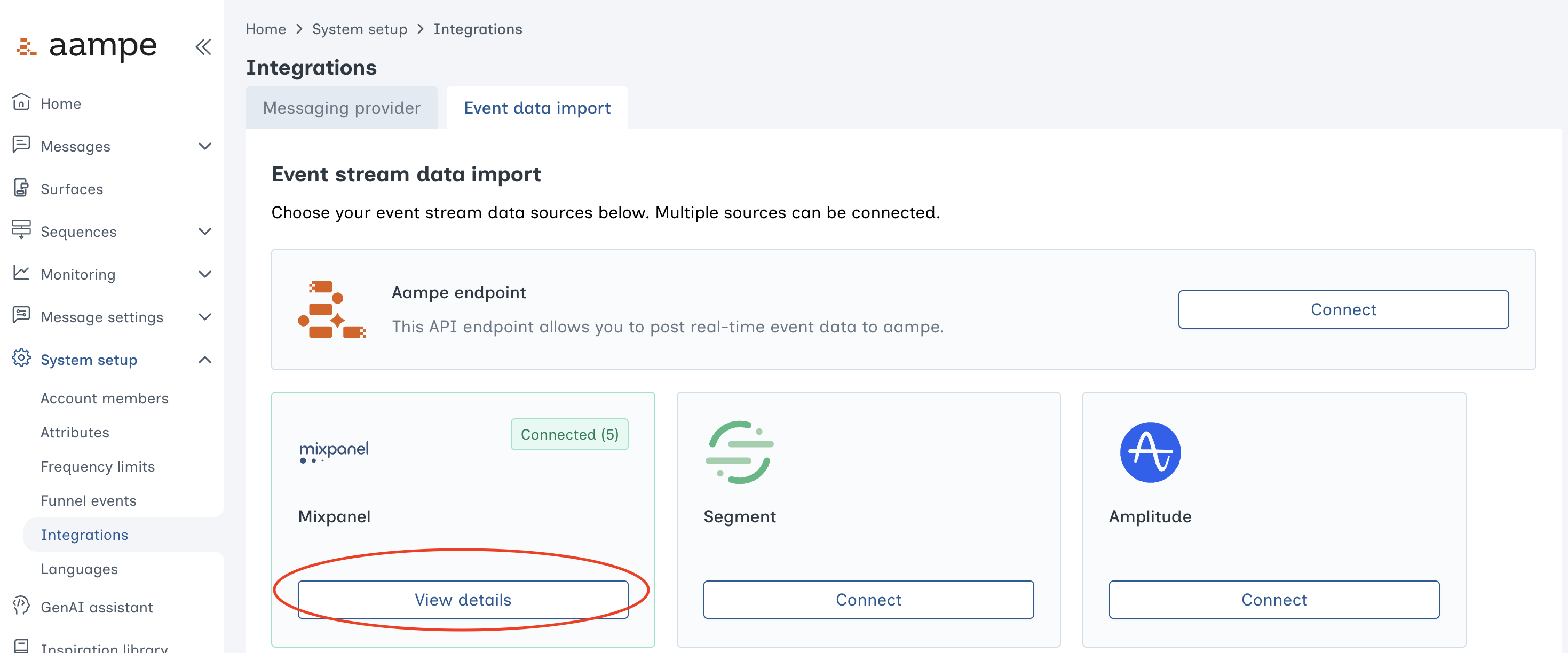 13. Select **Mixpanel** and add your credentials.
 ***
***